Key Pair
A key pair is a public/private key combination used for SSH access and secure data encryption. This document explains how to create, import, and delete key pairs using OpenStack.
Creating a Key Pair
Key pairs are used to securely access OpenStack instances. If you don’t already have a public key, you can generate one directly in OpenStack. If you already have a key pair, you can import your existing public key.
Generate and Download a New Key Pair
- In the left-hand menu, go to Compute → Key Pairs, then click Create Key Pair.
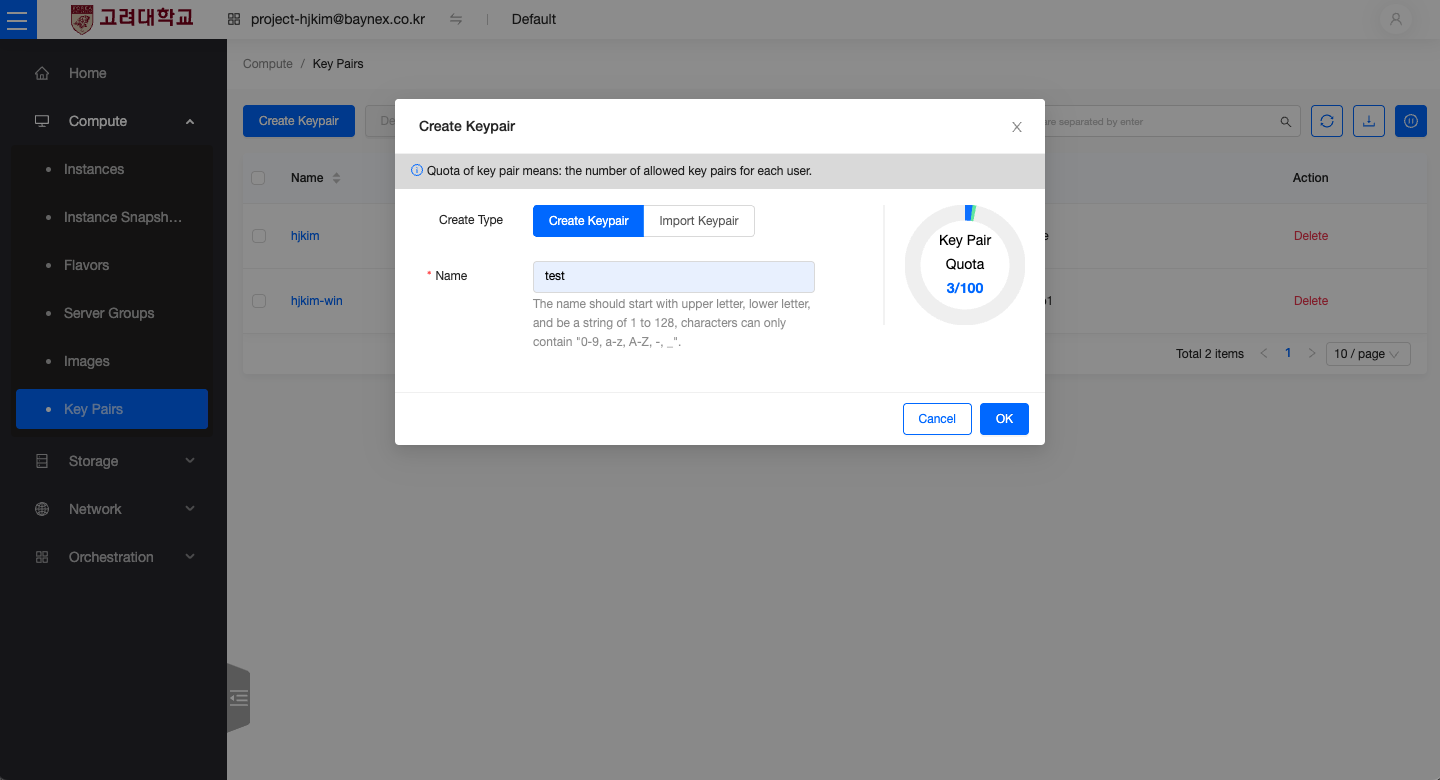
- Enter a Key Pair Name, then click Create.
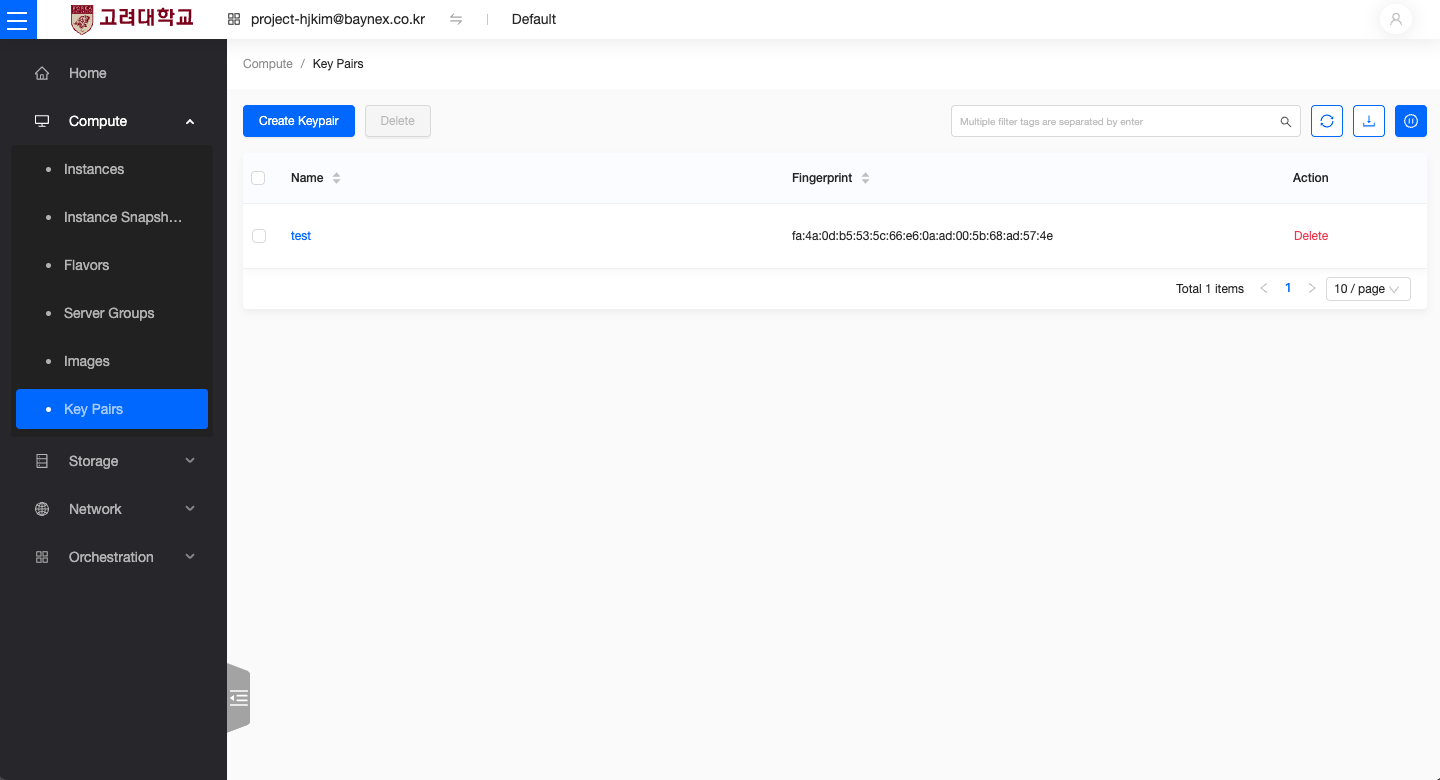
- A private key file (
.pem) will be downloaded automatically and the key pair will be registered.
⚠️ The private key cannot be downloaded again from OpenStack. Please store it in a secure location.
Import an Existing Public Key
If you already have a key pair, you can import your public key into OpenStack.
- Go to Compute → Key Pairs, then click Create Key Pair.
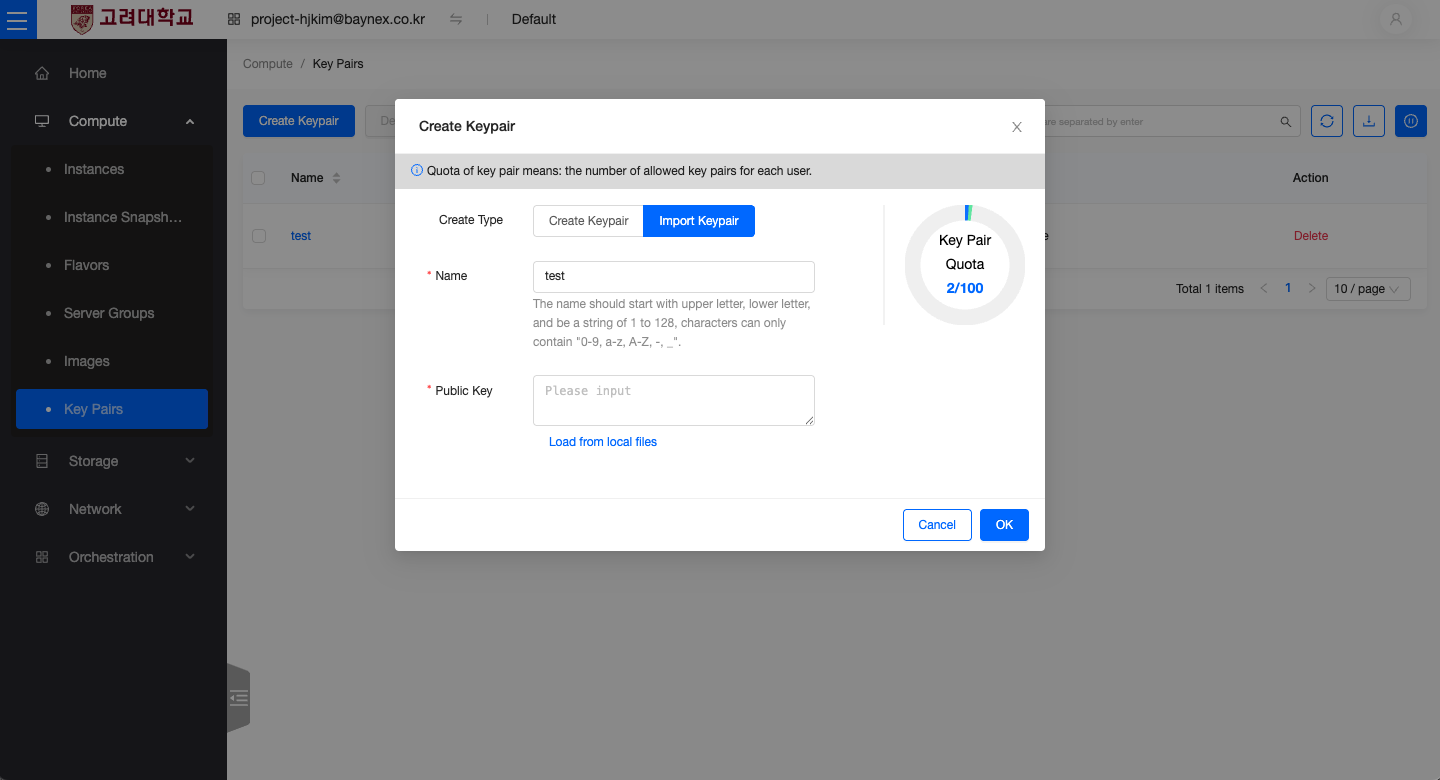
- In the Import Key Pair dialog, choose Import from local file.
- Windows:
C:\Users\<user name>\.ssh\id_rsa.pub - MacOS:
~/.ssh/id_rsa.pub- Note: On macOS, the
.sshdirectory is hidden by default. - Press
Shift + Command + .to reveal hidden files in Finder.
- Note: On macOS, the
- Windows:
- Click Import to register the key.
Deleting a Key Pair
If a key pair is no longer needed, it can be safely removed.
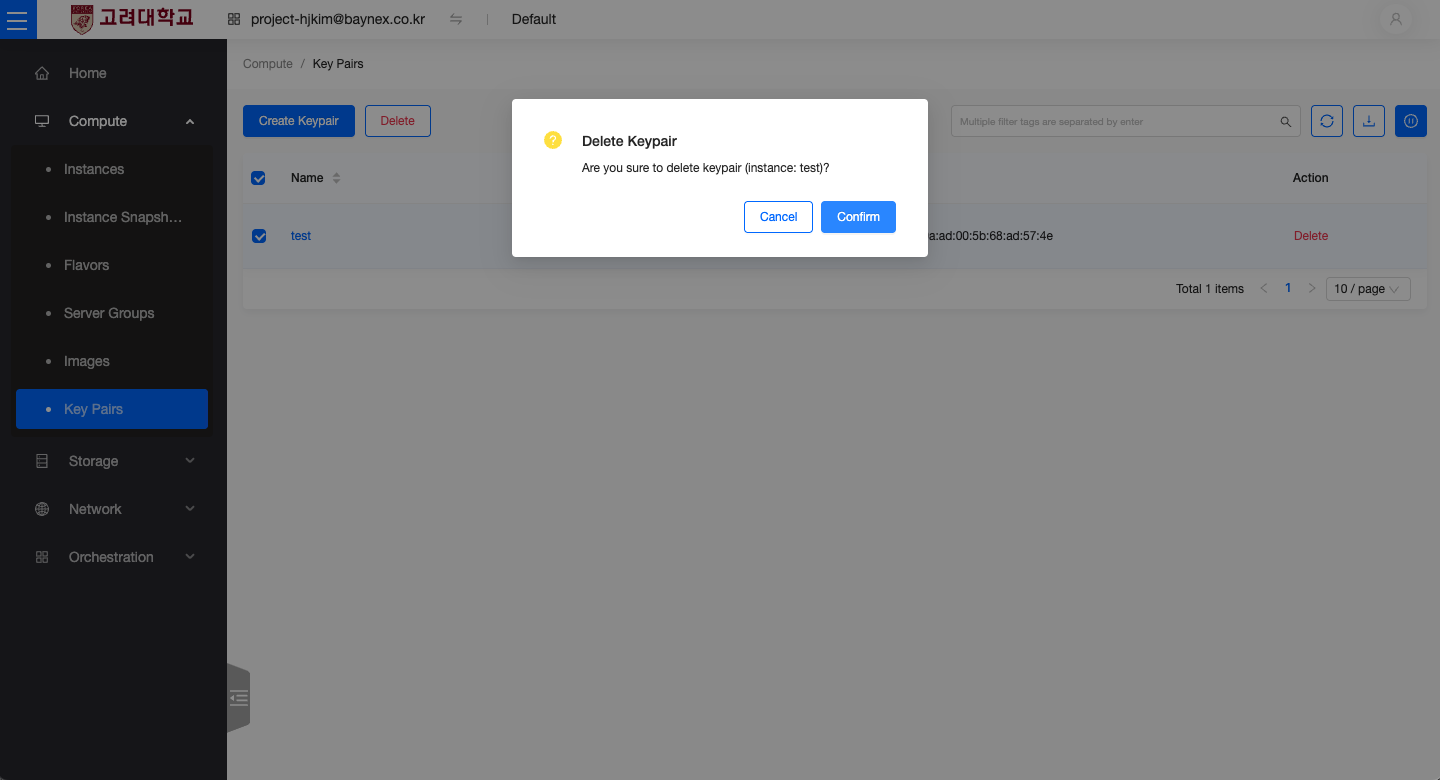
- Navigate to Compute → Key Pairs.
- Select the key pair to delete, then click Delete and confirm the action.
⚠️ Once a key pair is deleted, you will not be able to access any instances using that key. Please ensure alternative access is configured before deletion.