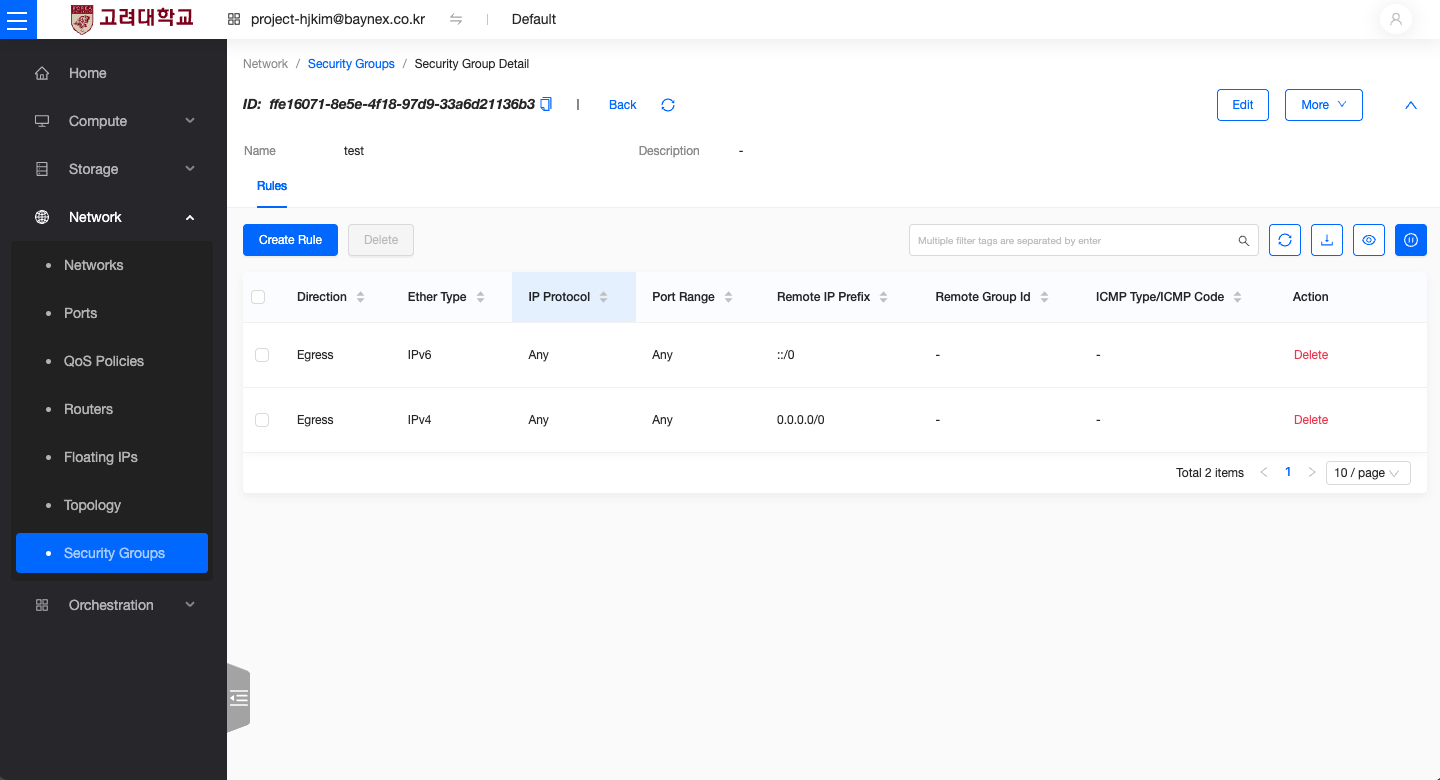
Security Groups
This document explains how to delete security groups and their associated rules in an OpenStack environment.
Before Deleting a Security Group
Before deleting a security group, make sure the following conditions are met:
- A security group cannot be deleted while it is still assigned to an active instance. You must first disassociate the group from any instances.
- The default security group (
default) cannot be deleted in OpenStack.
⚠️ Deleting a security group may affect all instances to which its rules are applied. Please review carefully before proceeding.
Deleting a Security Group
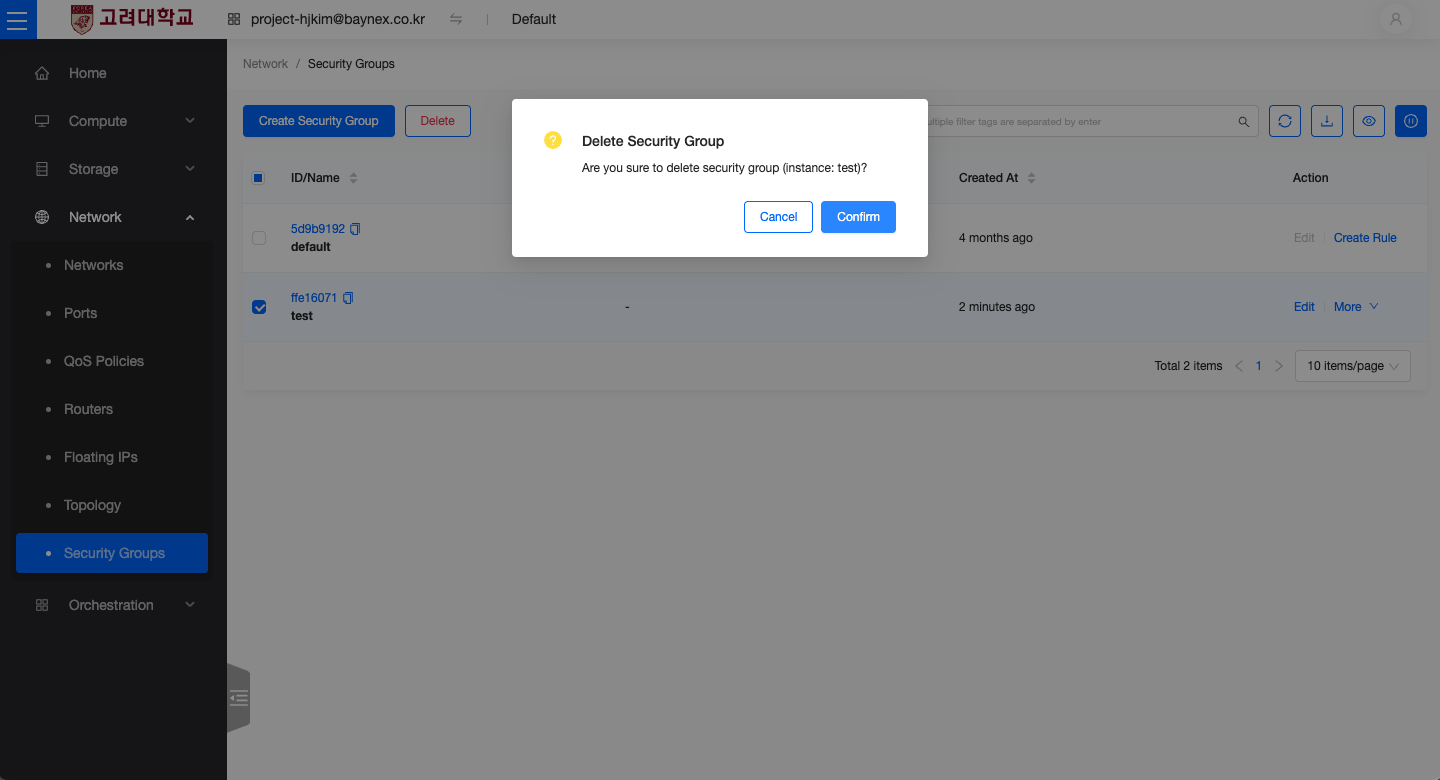
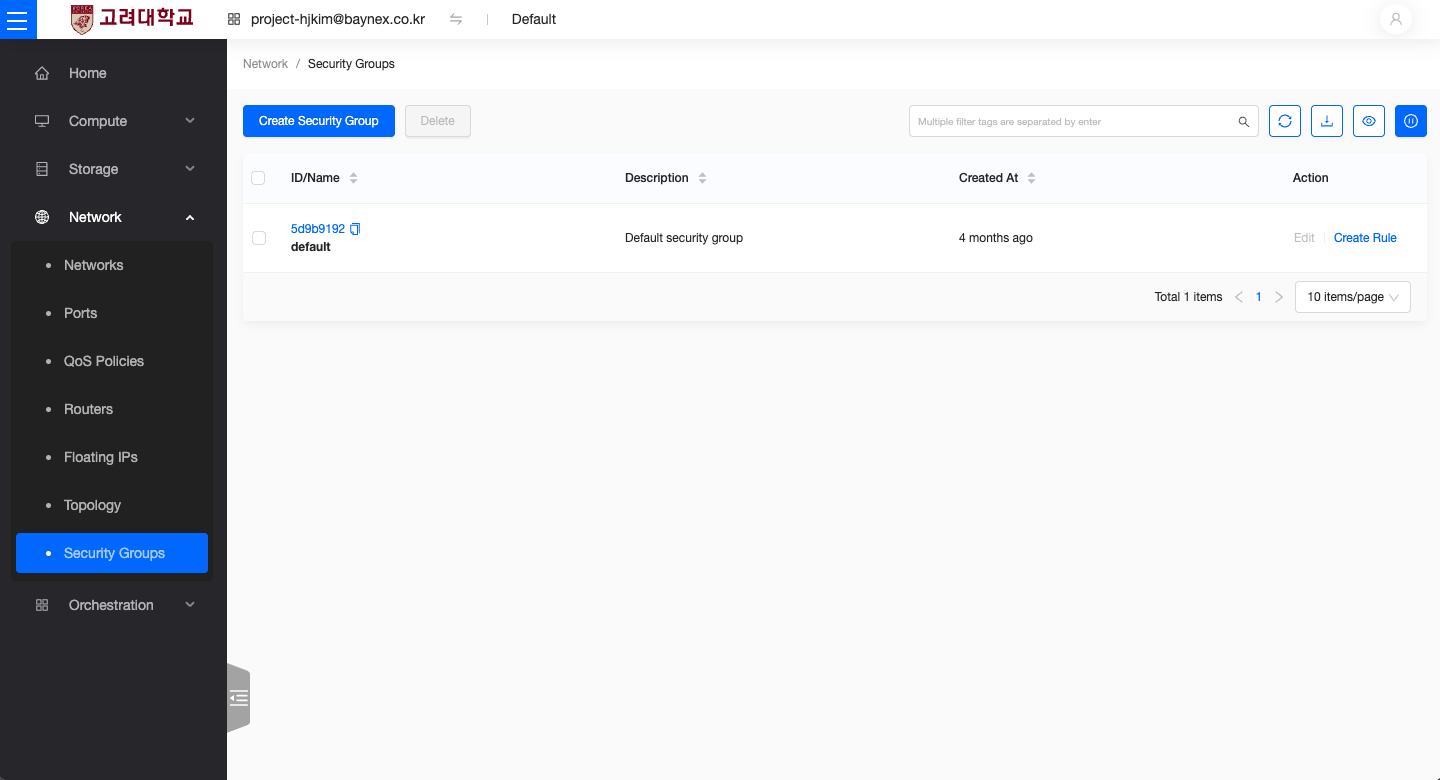
- From the left-hand menu, go to Network → Security Groups.
- Select the security group you wish to delete, then click Delete.
Deleting a Security Group Rule
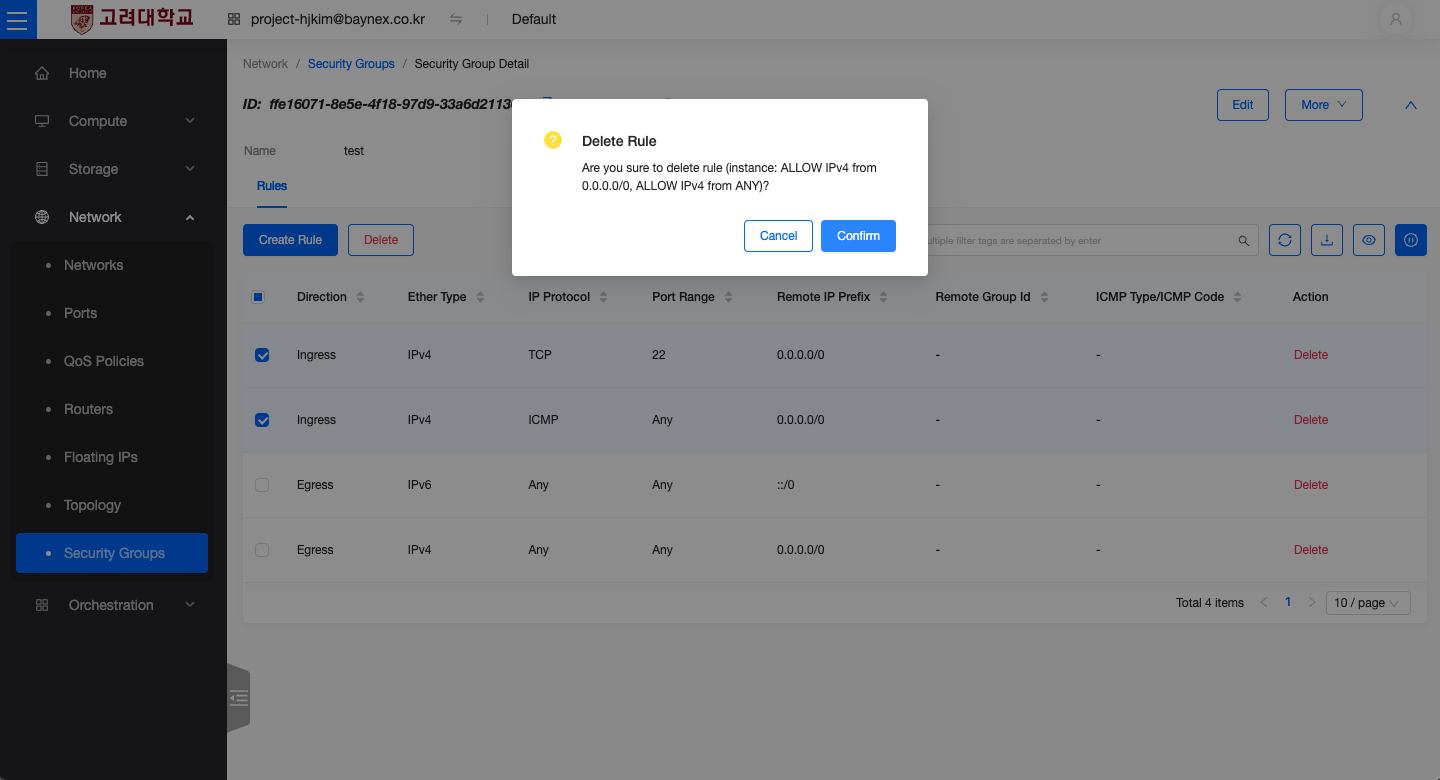
- Go to Network → Security Groups from the left-hand menu.
- Click on the security group you want to modify to view its list of rules.
- Select the rule you want to delete, then click Delete.