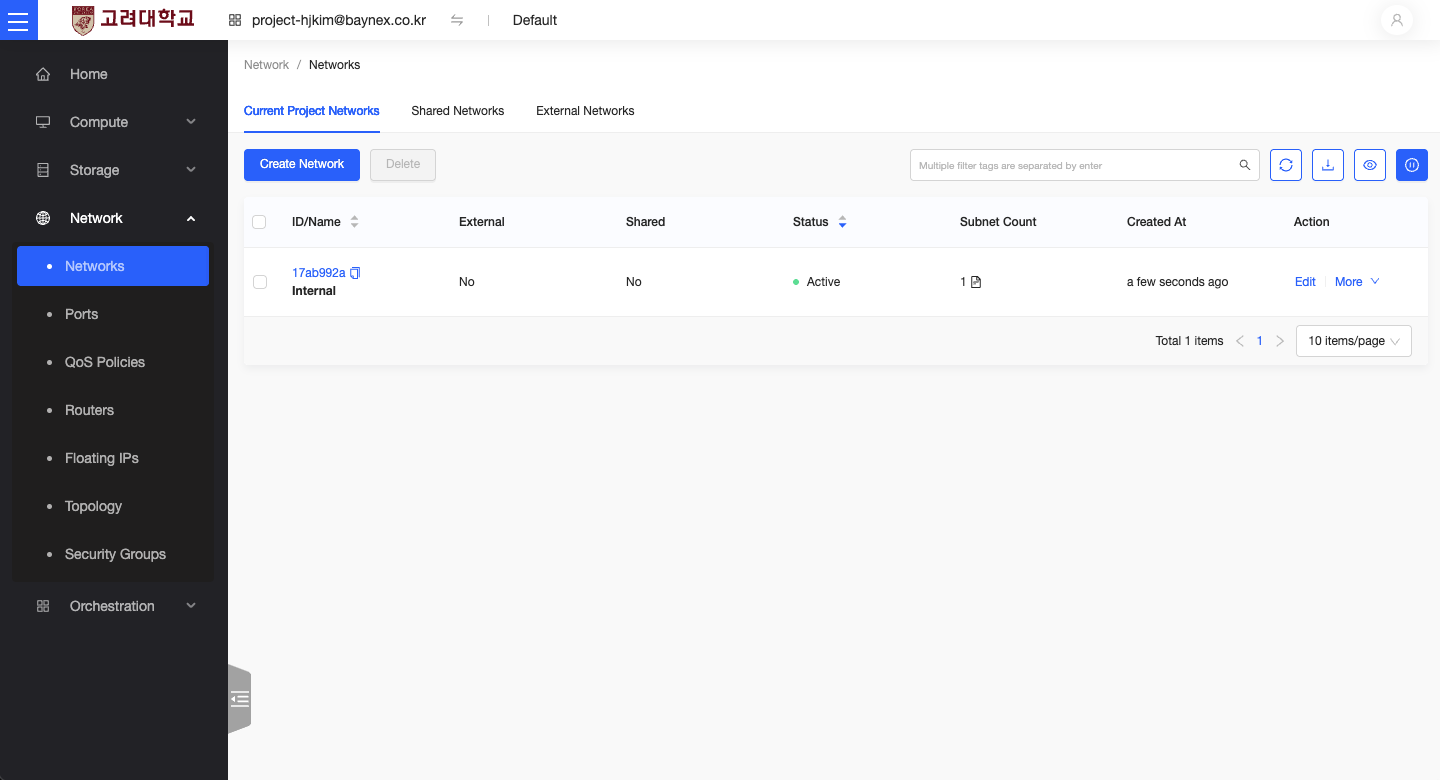
Network
This document explains how to create a network and subnet in OpenStack.
Creating a Network
- From the left-hand menu of the dashboard, click Network.
- In the Networks section, click the Create Network button.
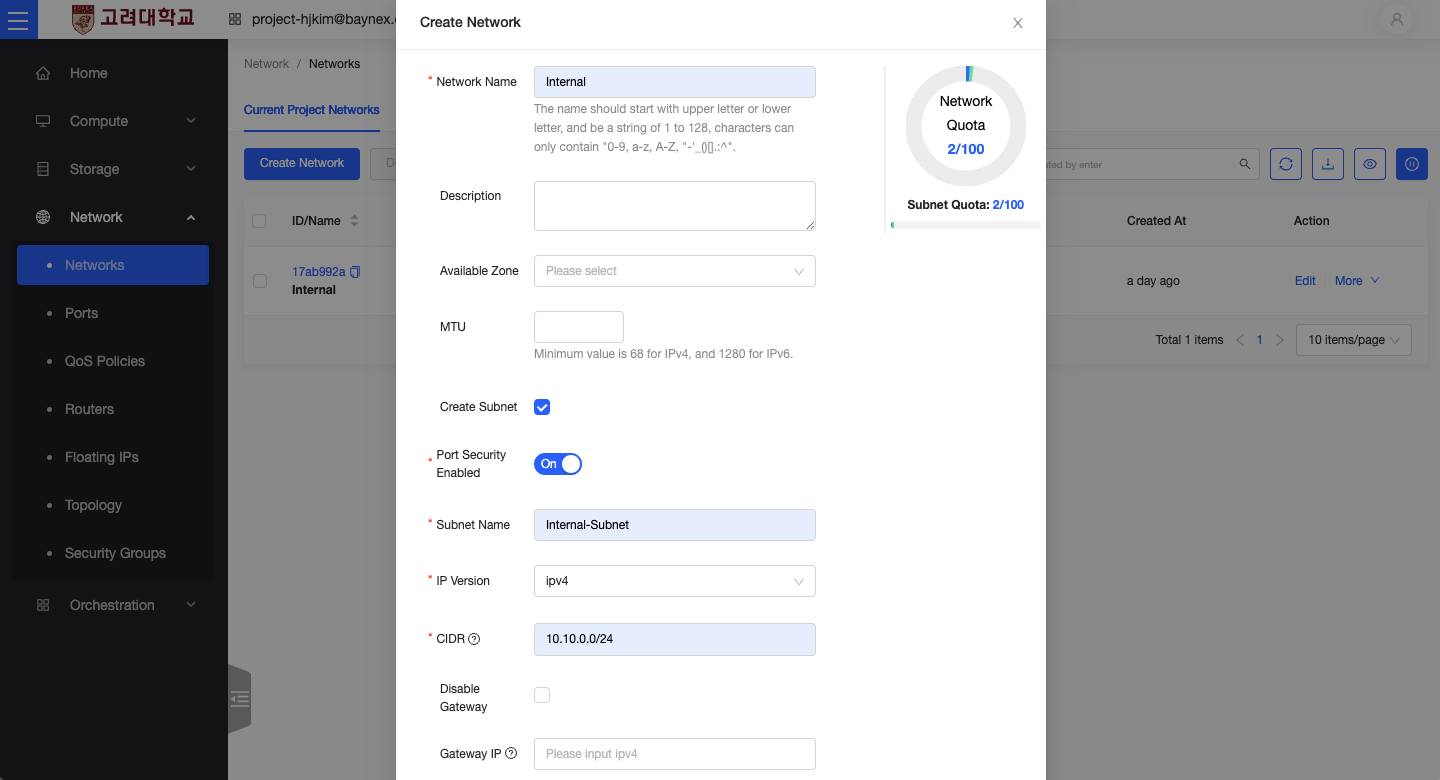
- When the Create Network window appears, enter a Network Name.
Creating a Subnet
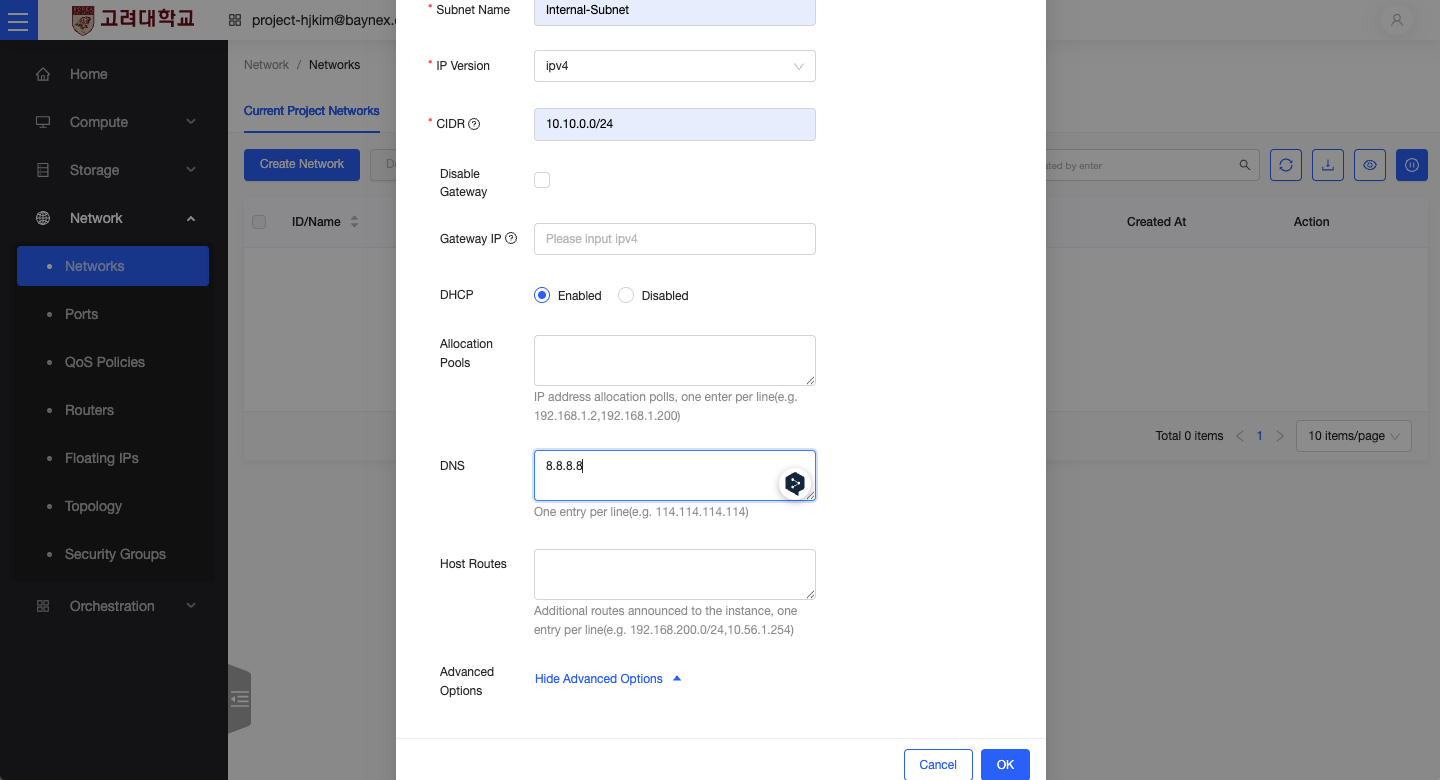
Add a subnet to define the IP address range for the network.
- Check the Create Subnet option.
- Enter a Subnet Name.
- Choose an IP Version.
- Specify the CIDR block for the subnet (e.g.,
10.10.0.0/24). -
Expand the Advanced Options, and enter
8.8.8.8in the DNS Name Servers field. -
Click Create to complete the network setup.