External IP
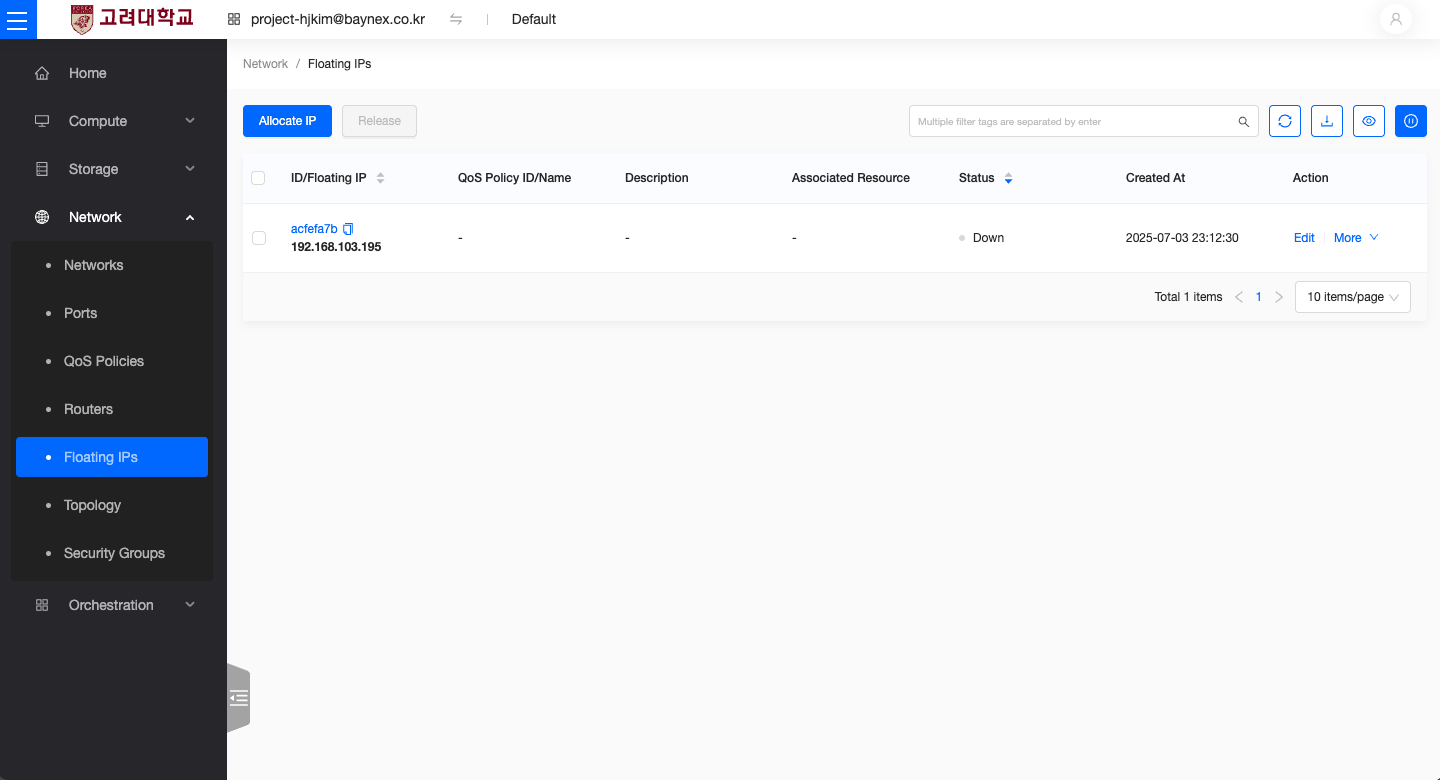
This document explains how to create and manage External IP addresses. An External IP is a public IP address required for communication over the internet. Assigning an External IP to an instance allows it to connect to external networks.
Creating an External IP
This section provides step-by-step instructions on how to create and assign an External IP in OpenStack.
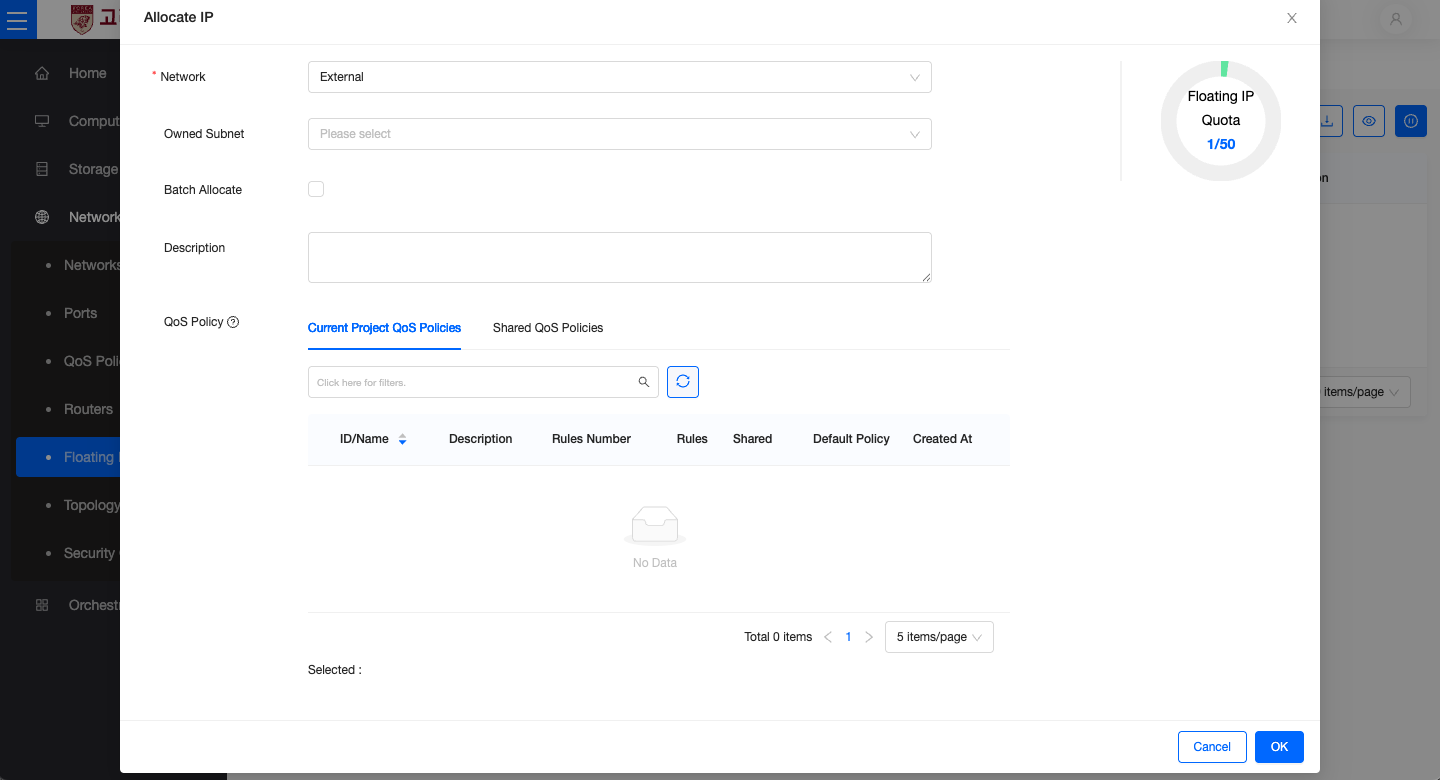
- From the left-hand menu, go to Network → Floating IPs, then click the Allocate IP to Project button.
- Network: Select the external network (
External). - Optional Fields
- Bulk Allocation: Allocate multiple external IPs at once.
- Description: Add a description for the IP address if needed.
- QoS Policy: Select a QoS policy if applicable.
- Click the Allocate IP button to complete the process. The assigned IP address will appear in the Floating IP list.