Installing GPU Driver and CUDA Toolkit
To use the GPU, you must install both the GPU driver and the CUDA Toolkit. NVIDIA provides CUDA Toolkit installers that include both the driver and the toolkit in one package.
Preparation
Check System Requirements
- Ensure at least 30GB of free disk space is available.
Install Required Packages
Before installing the CUDA Toolkit, make sure the necessary system packages are installed. Depending on your operating system, you may need to install dependencies and reboot.
Ubuntu 24.04
sudo apt update && sudo apt install gcc linux-headers-$(uname -r) dkms -y
Rocky 8.10
sudo dnf install gcc kernel-devel-$(uname -r) kernel-headers-$(uname -r) pciutils -y
Rocky 9.4, 9.5
sudo dnf install gcc kernel-devel kernel-headers kernel pciutils -y
sudo reboot
Installation
After installing the required packages, you can proceed with installing the CUDA Toolkit. This step is common across all supported operating systems. You can find the installer download link on the CUDA Toolkit
Download the Installer
curl -LO https://developer.download.nvidia.com/compute/cuda/12.8.0/local_installers/cuda_12.8.0_570.86.10_linux.run
Run the Installer
sudo sh cuda_12.8.0_570.86.10_linux.run
After running the installer, a few moments later you will see a screen like the one below.
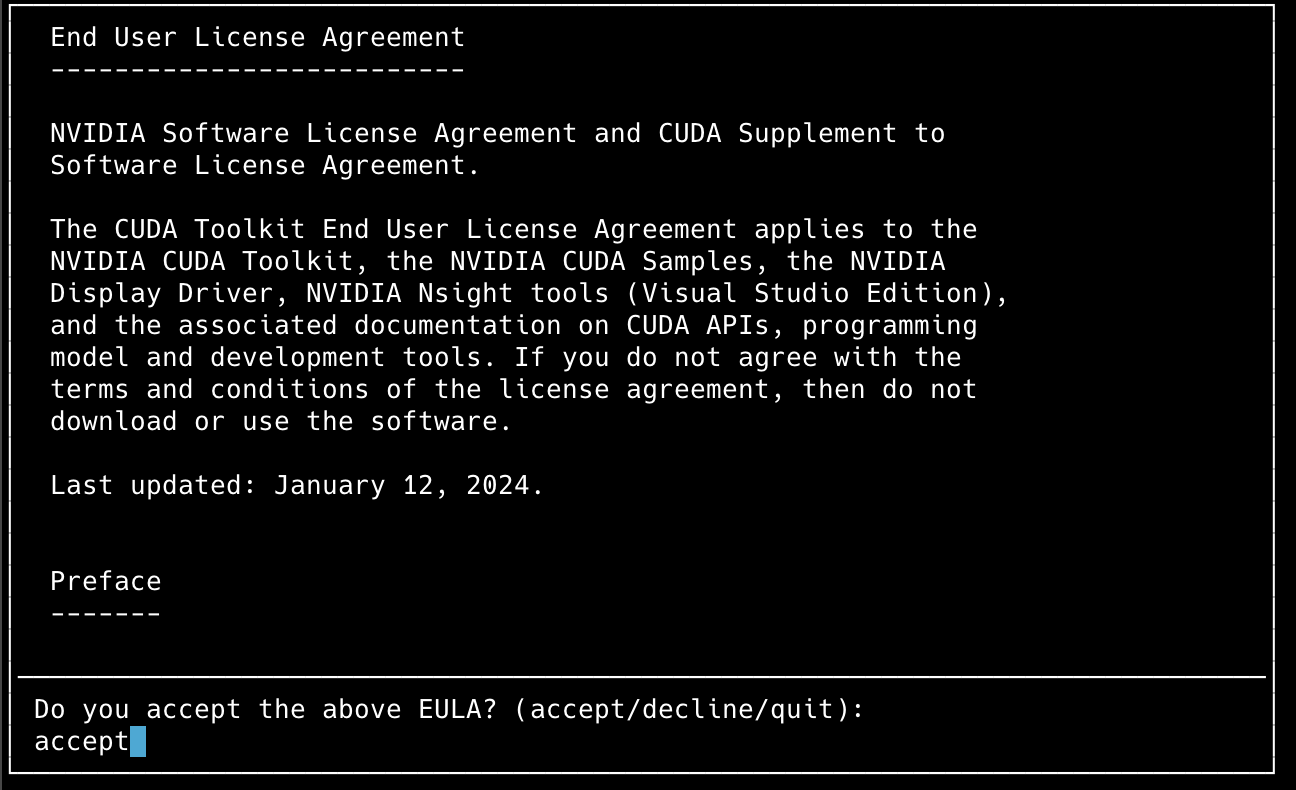
- This is the license agreement screen. Type accept to continue.
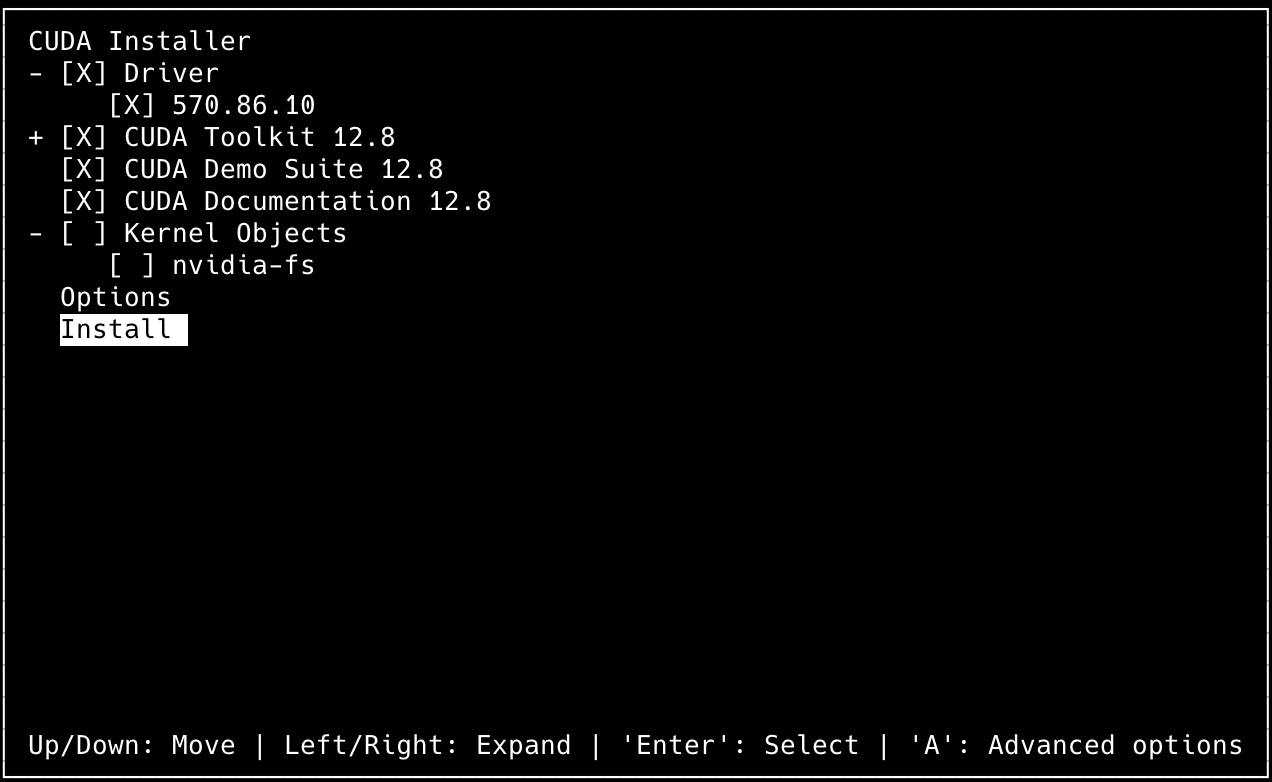
- Select
Installto begin the installation process.
Verifying Installation
Once installation is complete, run the following command to check the installed driver and CUDA version:
nvidia-smi
# Mon Feb 24 00:58:02 2025
# +-----------------------------------------------------------------------------------------+
# | NVIDIA-SMI 570.86.10              Driver Version: 570.86.10      CUDA Version: 12.8     |
# |-----------------------------------------+------------------------+----------------------+
# | GPU  Name                 Persistence-M | Bus-Id          Disp.A | Volatile Uncorr. ECC |
# | Fan  Temp   Perf          Pwr:Usage/Cap |           Memory-Usage | GPU-Util  Compute M. |
# |                                         |                        |               MIG M. |
# |=========================================+========================+======================|
# |   0  NVIDIA H100 NVL                Off |   00000000:00:05.0 Off |                    0 |
# | N/A   44C    P0             96W /  400W |       1MiB /  95830MiB |      0%      Default |
# |                                         |                        |             Disabled |
# +-----------------------------------------+------------------------+----------------------+

# +-----------------------------------------------------------------------------------------+
# | Processes:                                                                              |
# |  GPU   GI   CI              PID   Type   Process name                        GPU Memory |
# |        ID   ID                                                               Usage      |
# |=========================================================================================|
# |  No running processes found                                                             |
# +-----------------------------------------------------------------------------------------+
Even if nvidia-smi works correctly after installation, you must reboot your system before starting GPU operations.
sudo reboot
References