Network
This document explains how to delete a network in OpenStack.
Pre-Deletion Checklist for Security Groups
Before deleting a network, you must first delete any subnets connected to the network.
Deleting a Subnet
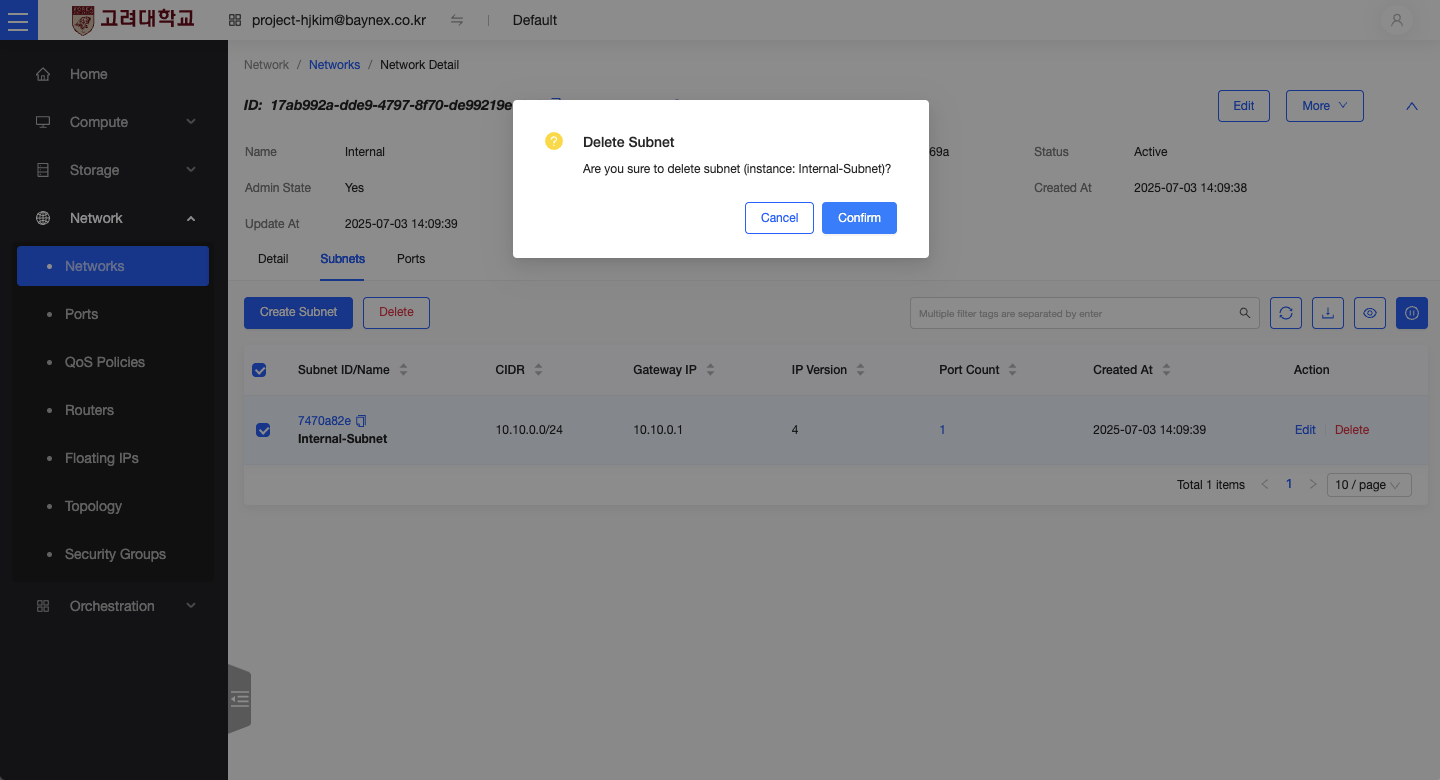
- In the Network menu, select the network that contains the subnet you want to delete.
- In the network details view, click the Subnets tab.
- Select the subnet to delete and click the Delete button.
- When the confirmation dialog appears, click Confirm to remove the subnet.
Deleting a Network
Once all subnets and routers associated with the network have been removed, you can proceed to delete the network itself.
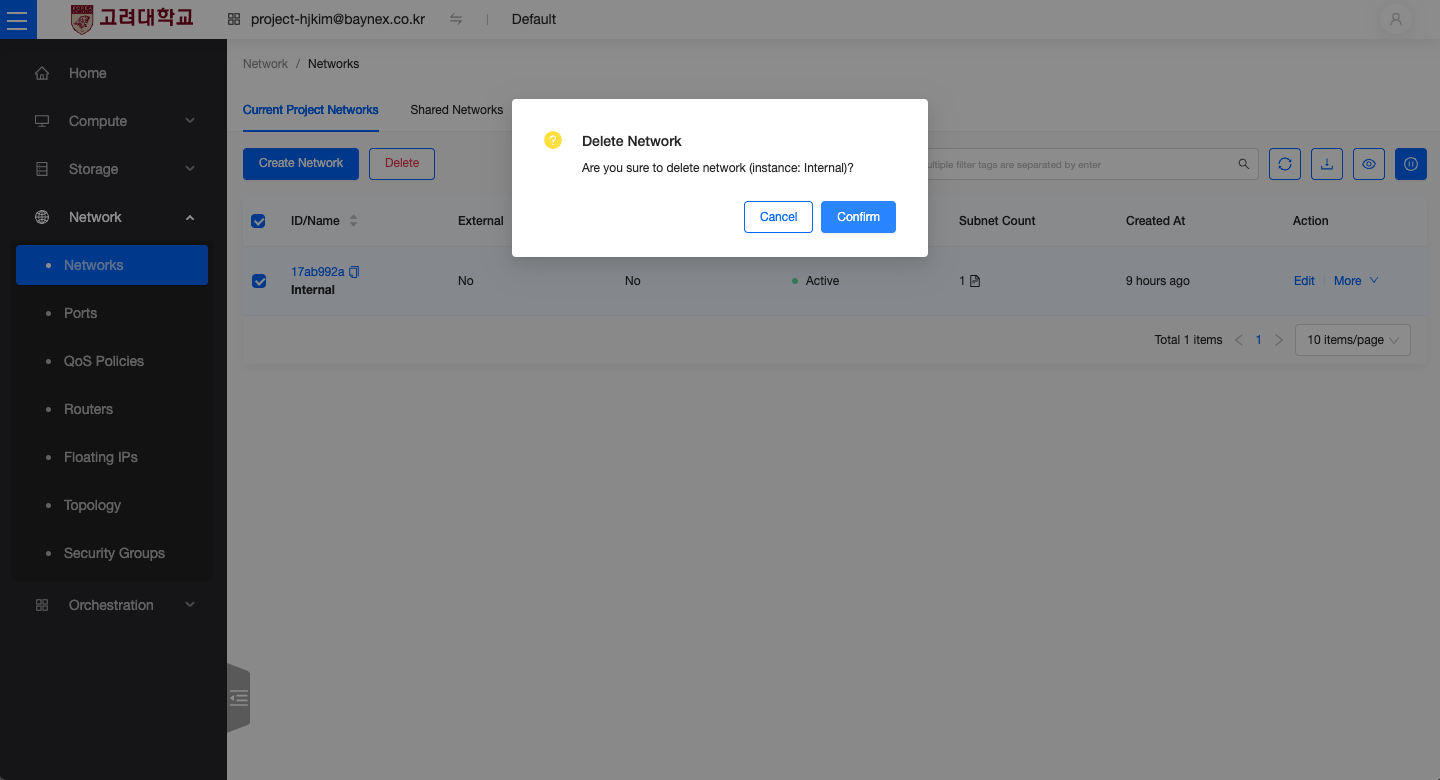
- In the Network menu, select the network you wish to delete.
- Click the Delete Network button.
- When prompted, click Confirm to complete the deletion.
Network Deletion Failed
If network deletion fails, it is likely due to remaining attached resources such as instances, ports, or subnets. Please ensure all connected resources have been removed before attempting deletion again.