Router
This document explains how to delete a router in OpenStack. A router is a key component that enables communication between different networks.
Pre-Deletion Steps
Attempting to delete a router directly will result in an error. You must first complete the following steps:
- Remove the external gateway
- Disconnect any connected subnets
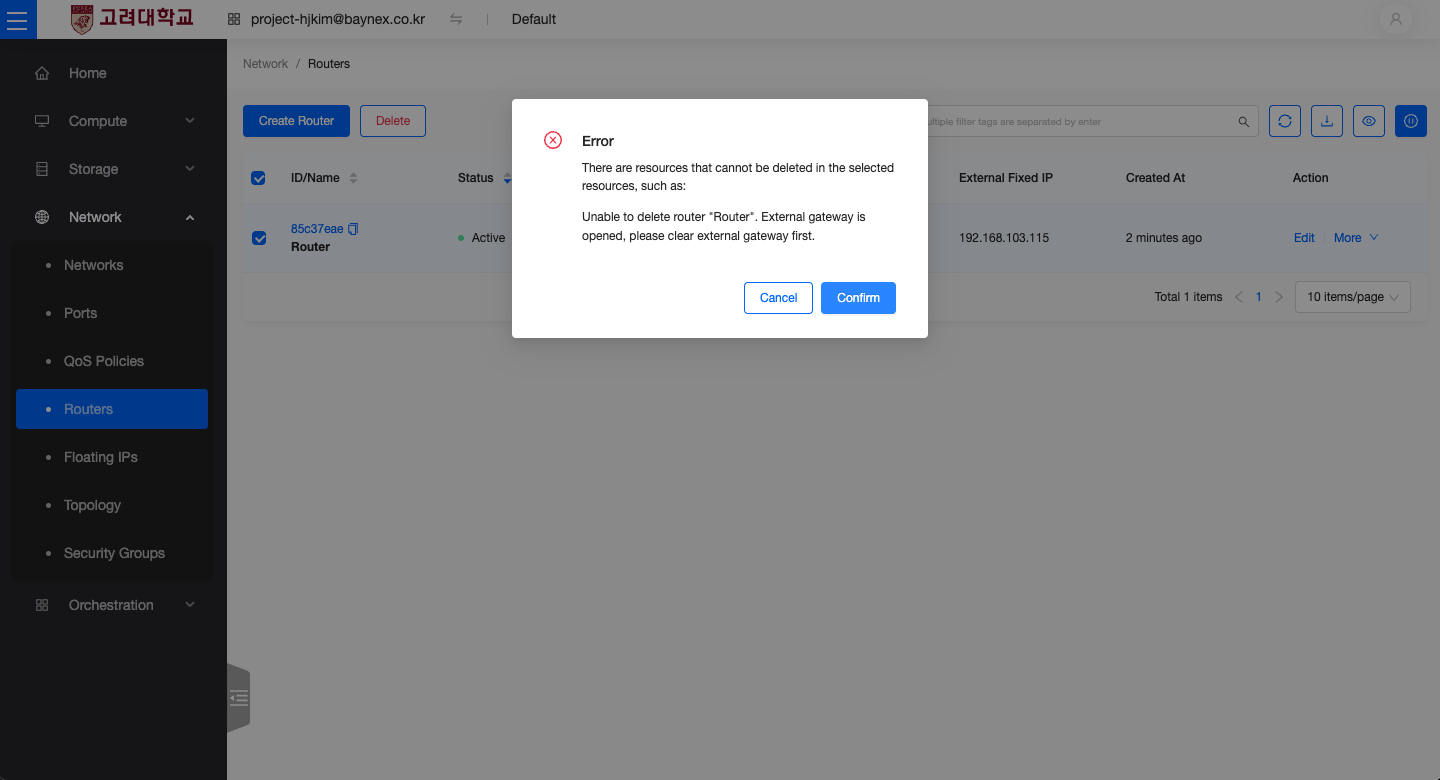
Remove External Gateway
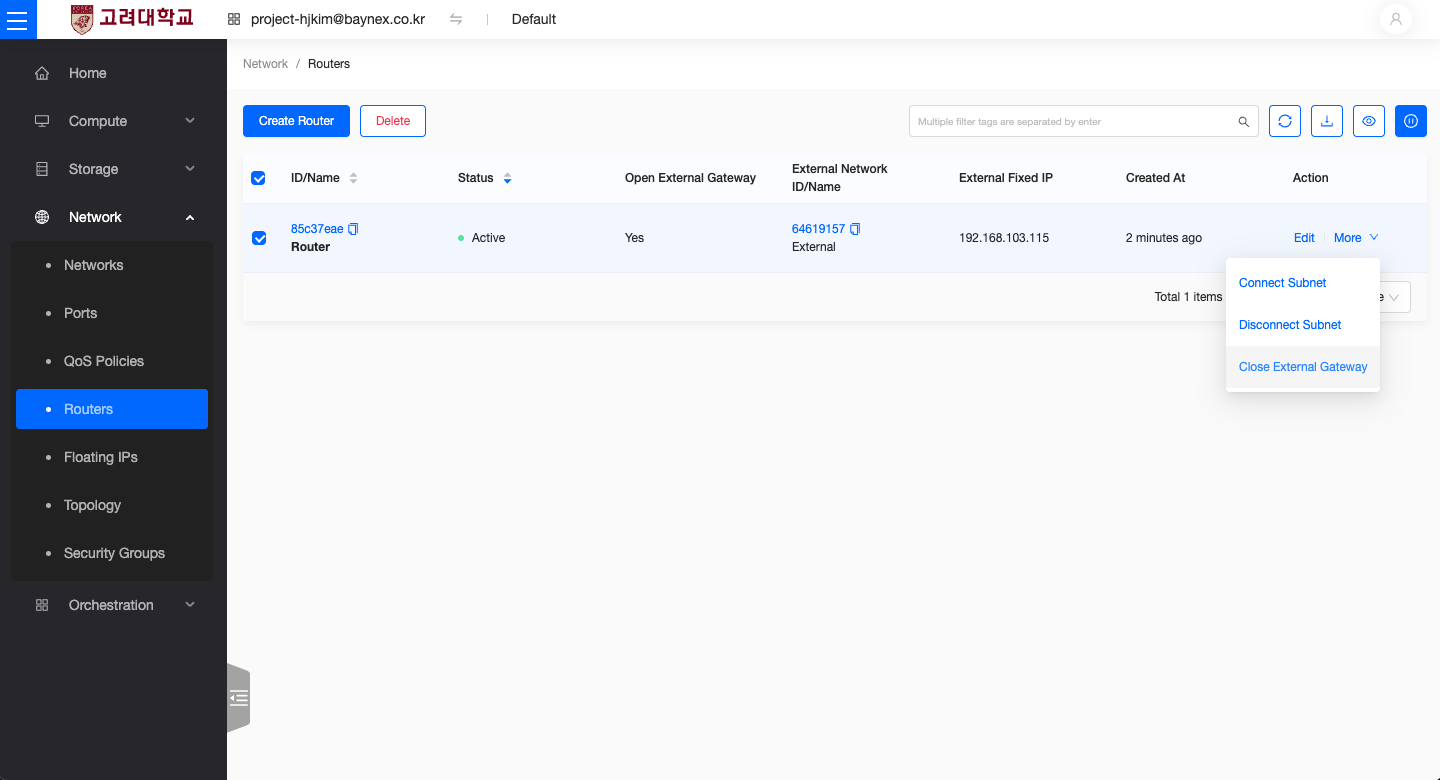
- Go to the Network menu and select Routers.
- Choose the router you want to delete.
- From the More menu, click Clear Gateway.
Disconnect Subnet
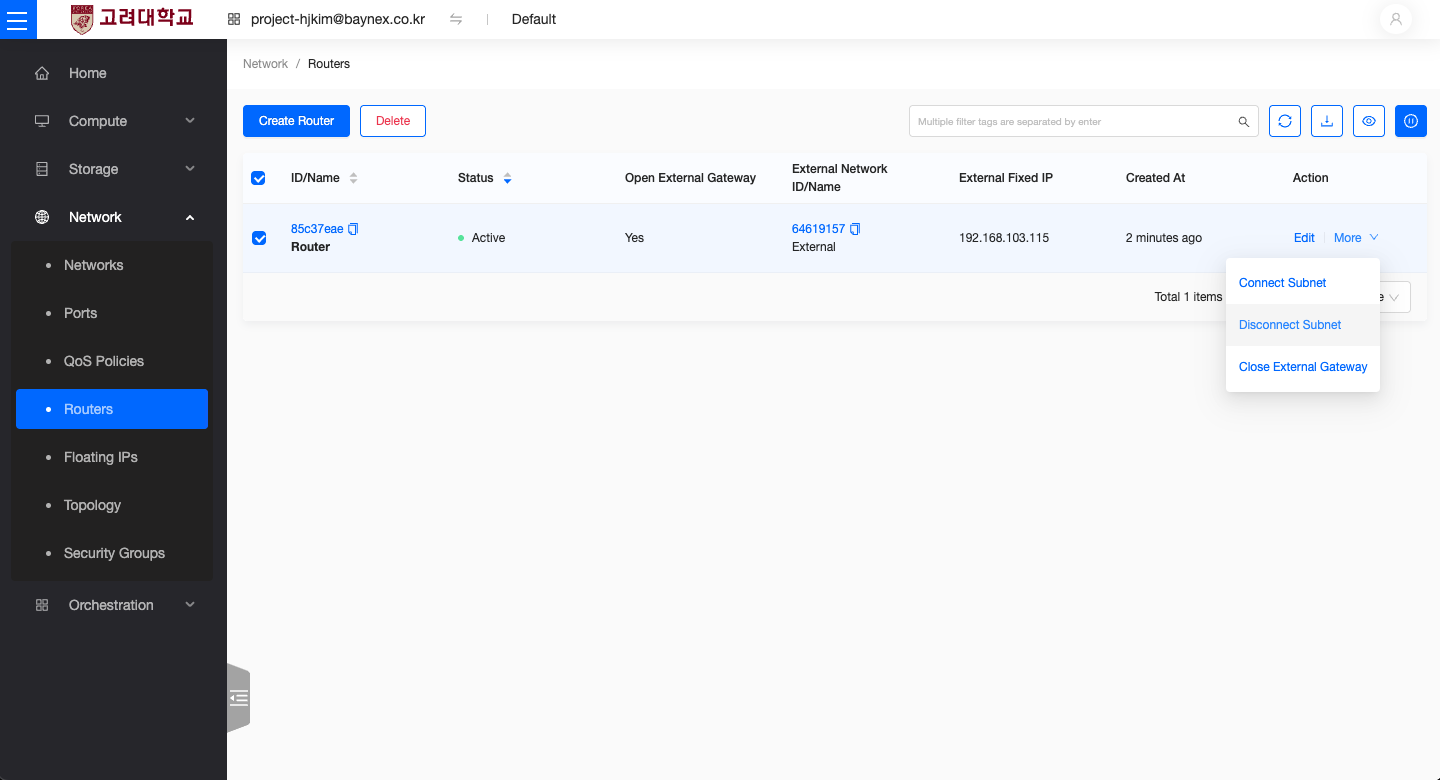
- In the Network menu, select Routers.
- Choose the router to delete.
- From the More menu, click Remove Interface (to disconnect the subnet).
Deleting the Router
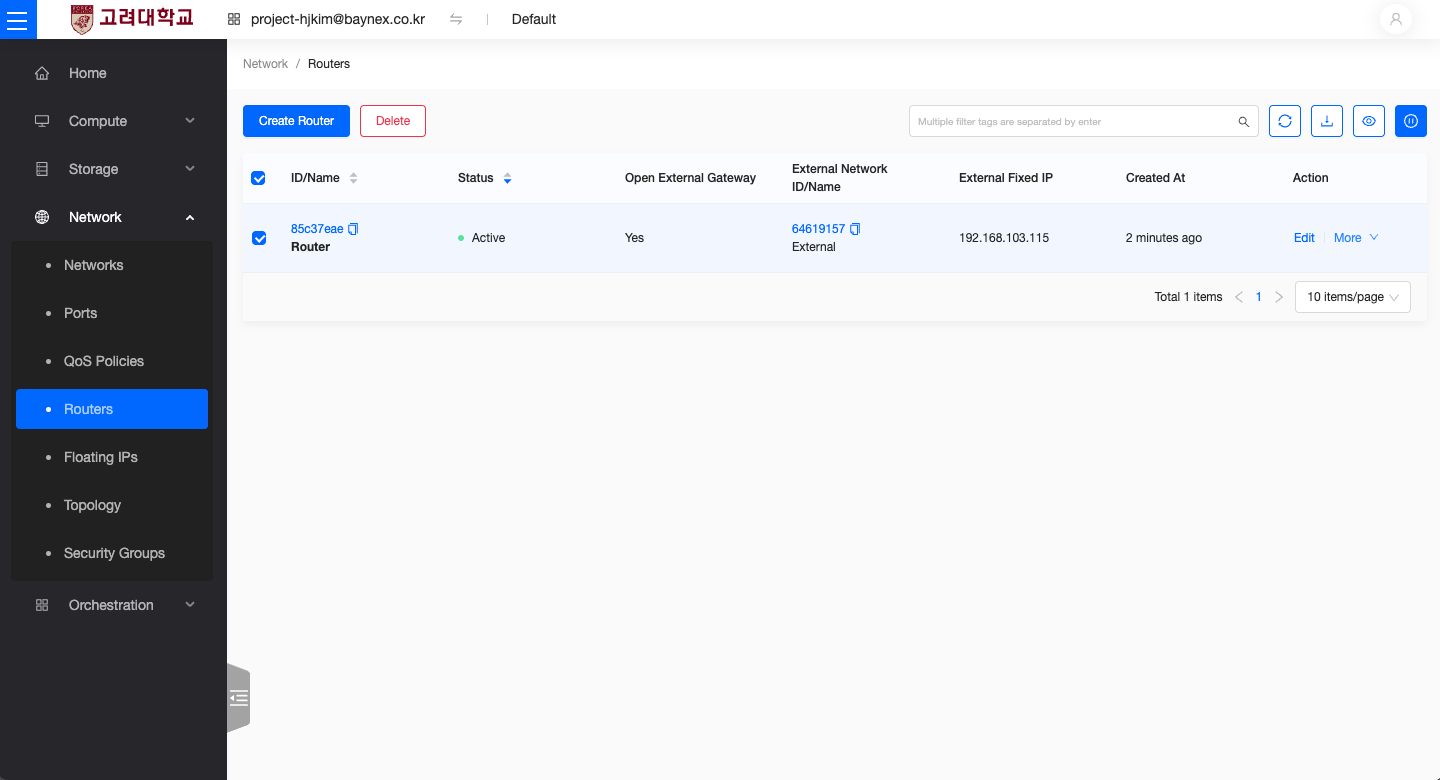
After completing the steps above, you can now delete the router.
- Go to the Network menu and select Routers.
- Select the router you want to delete and click the Delete button.
- A confirmation dialog will appear — click Confirm to complete the deletion.