Security Groups
A security group is a set of virtual firewall rules that control inbound and outbound traffic. This document explains how to create security groups and define rules to allow specific types of traffic in an OpenStack environment.
Creating a Security Group
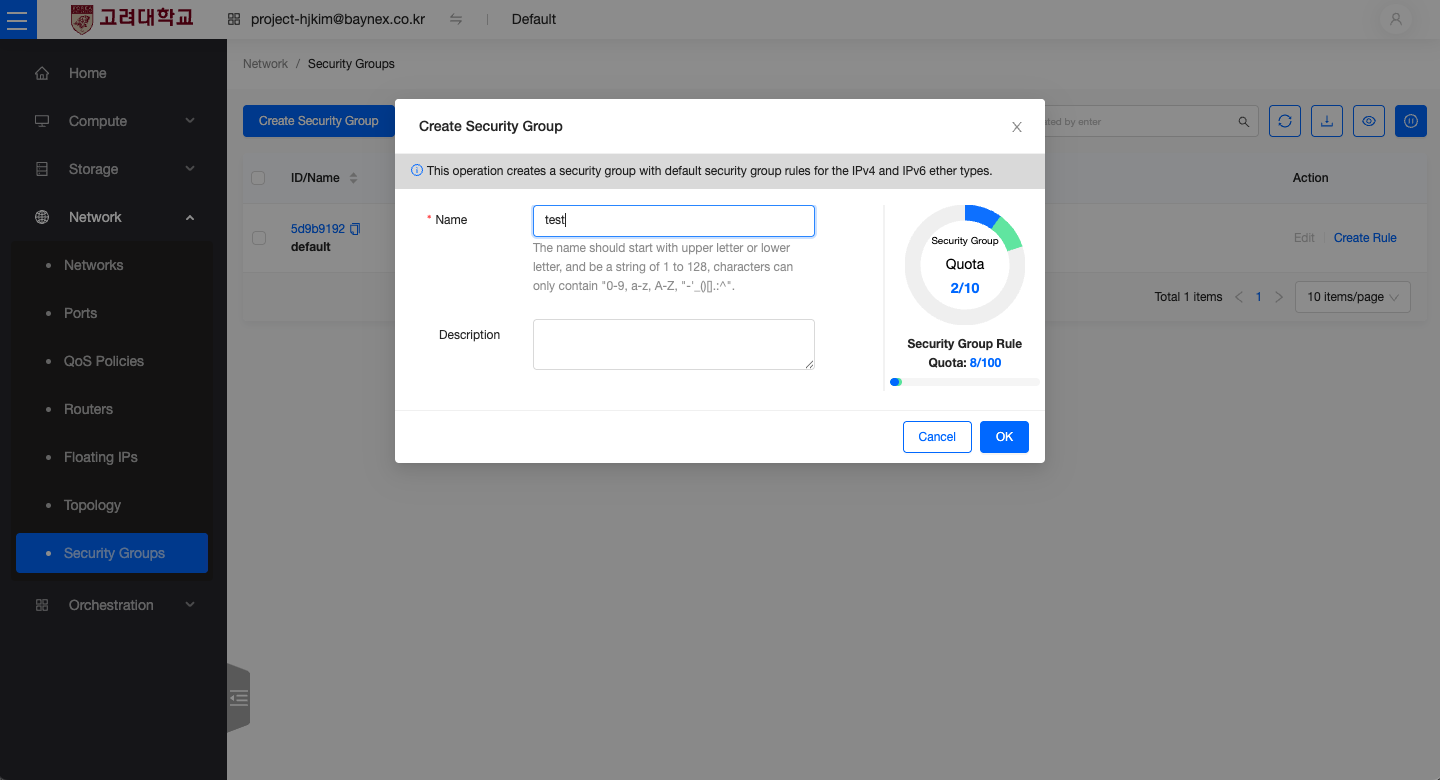
- From the left-hand menu, go to Network → Security Groups.
- To edit an existing security group (e.g.,
default), select it from the list. To create a new one, click the Create Security Group button. - Enter the Name and an optional Description, then click Create to add the security group.
Creating Security Group Rules
After creating a security group, you can add rules to allow specific traffic.
Allow ICMP Protocol
ICMP is used to test network connectivity (e.g., via ping). Allowing ICMP traffic enables basic reachability checks.
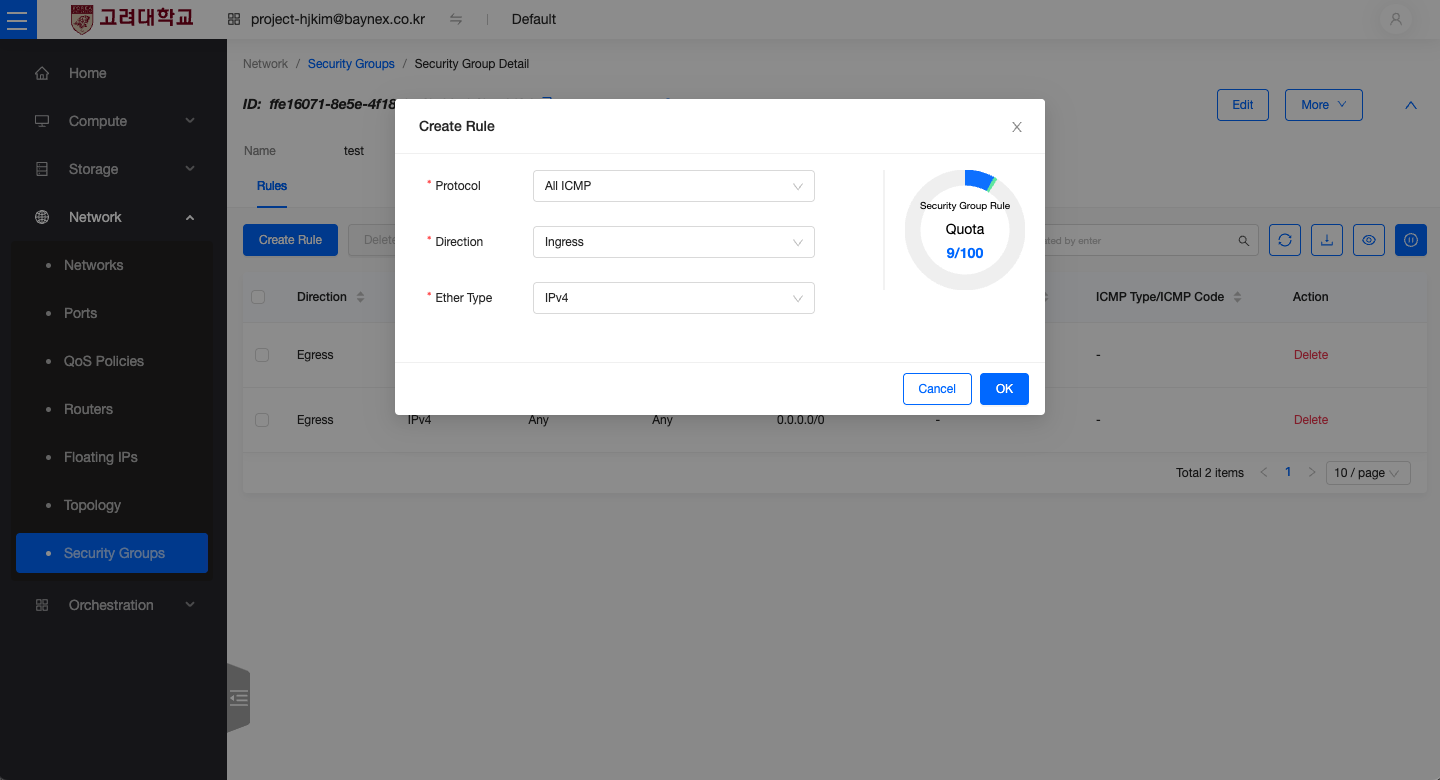
- Select the security group and click Add Rule.
-
Configure the rule as follows:
- Protocol:
All ICMP - Direction:
Ingress(Inbound) - Ether Type:
IPv4
- Protocol:
-
Click Confirm to apply the rule.
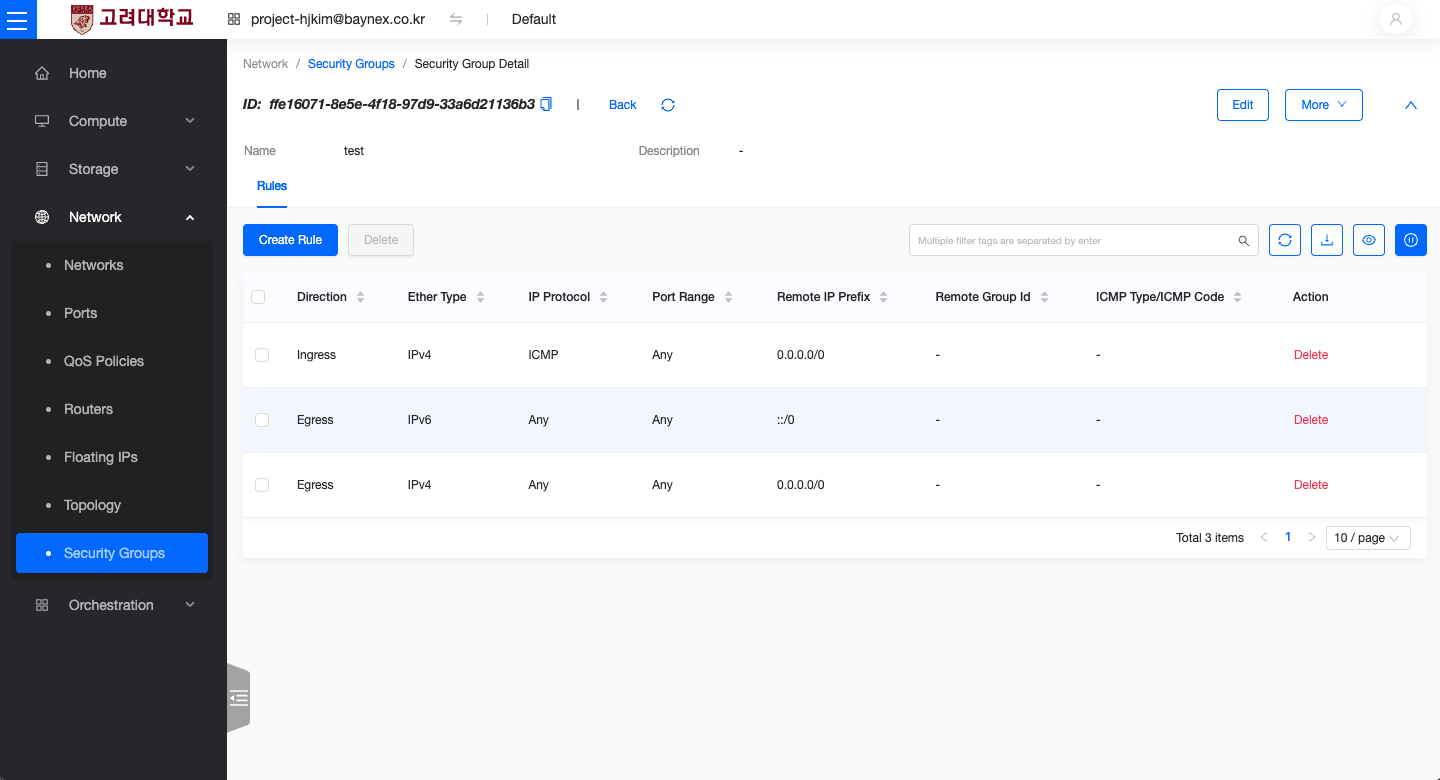
Allow Specific Ports (SSH, HTTP, HTTPS, etc.)
Add custom TCP rules to allow access to your server on specific ports.
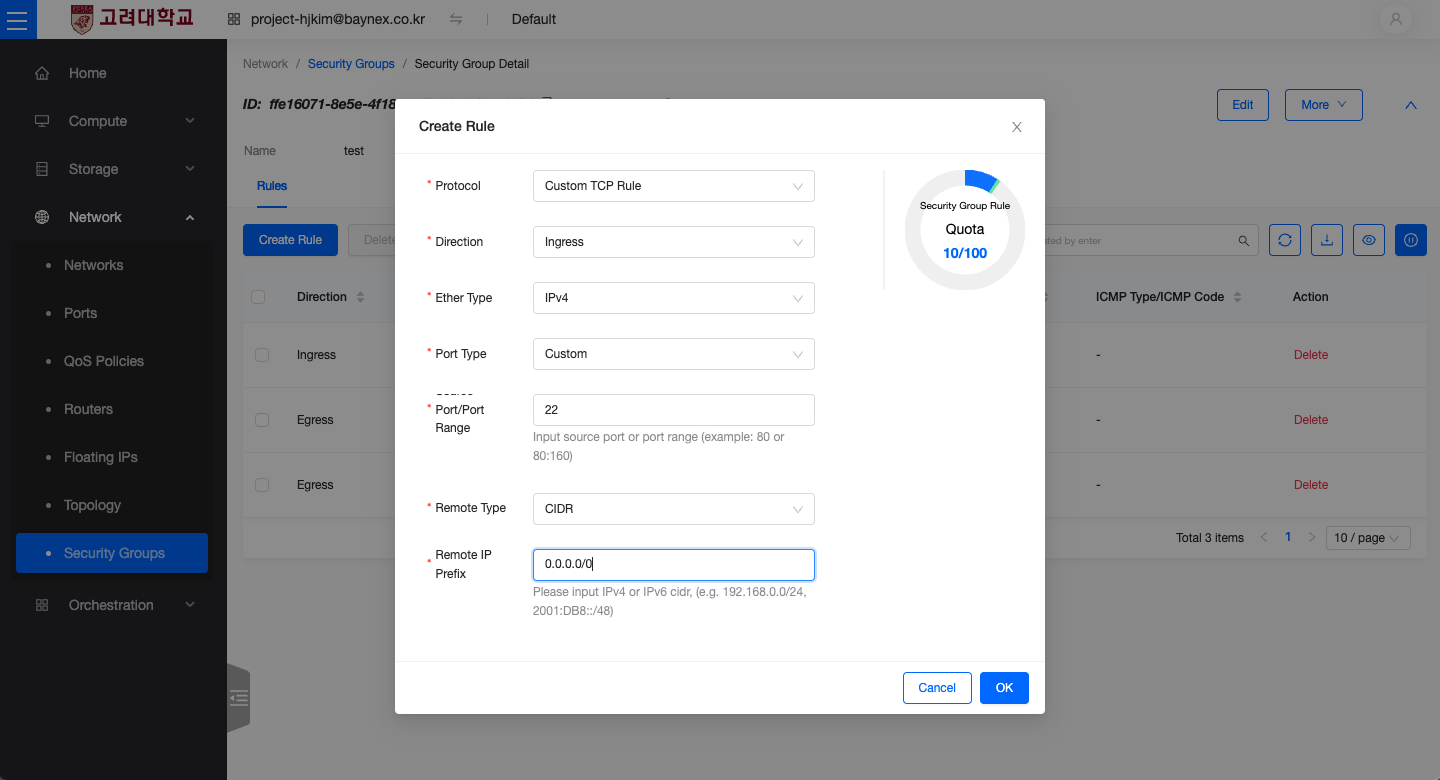
- Select the security group and click Add Rule.
-
Configure the rule as follows:
- Protocol: Custom TCP Rule
- Direction: Ingress (Inbound)
- Ether Type: IPv4
- Port Range Type: Custom
- SSH:
22 - HTTP:
80 - HTTPS:
443
- SSH:
- Remote Typ:
CIDR - CIDR:
0.0.0.0/0(specify the allowed IP range)
-
Click Confirm to apply the rule.
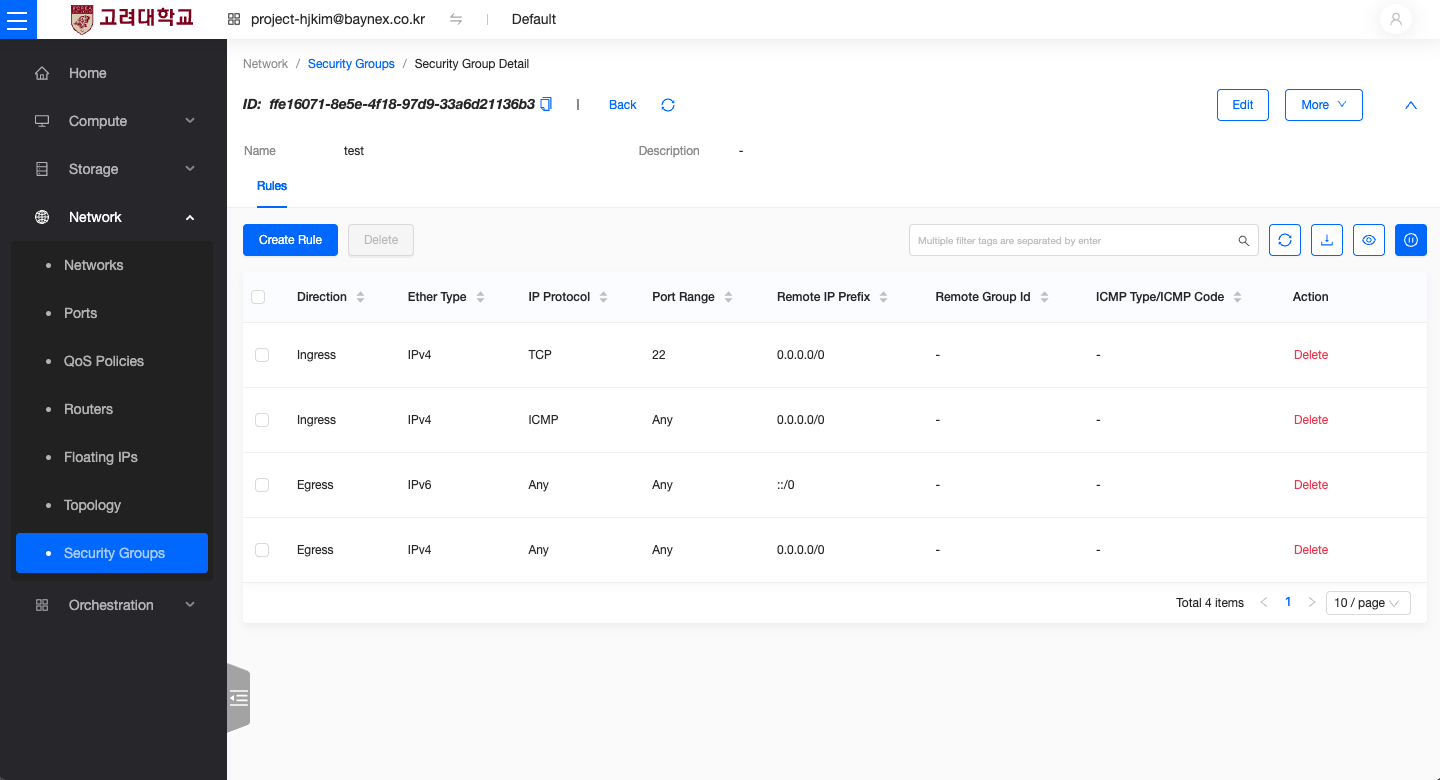
Using
0.0.0.0/0as the CIDR allows access from any IP address, which may pose security risks. However, in this environment, access is limited via VPN, which reduces the risk. For stricter security, consider specifying a more limited IP range (e.g.,192.168.30.0/24).