External IP
This section explains how to delete an external IP address. An external IP is a public IP address required for internet communication and is assigned to an instance to enable access to external networks.
Deleting an External IP
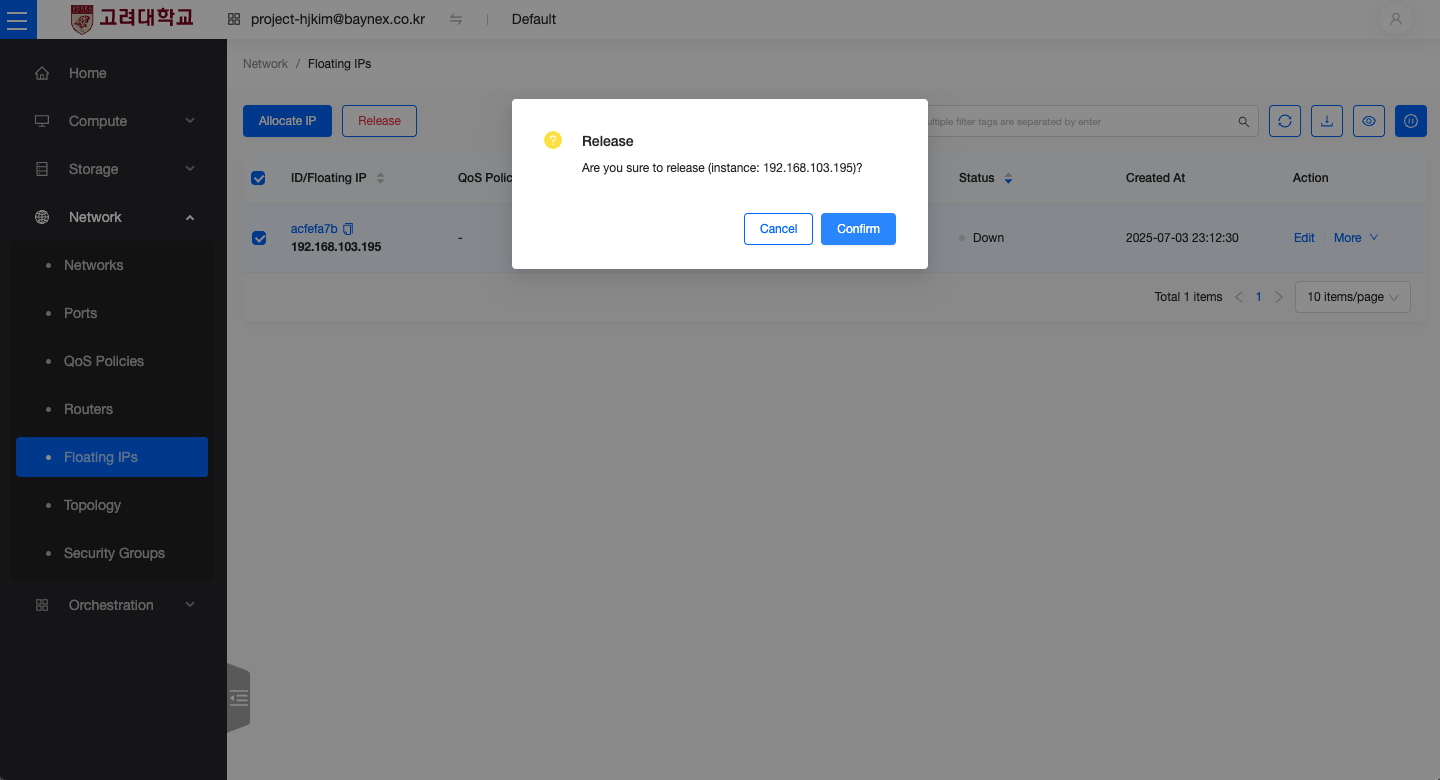
- In the Network menu, click on Floating IPs.
- Select the external IP you want to delete.
- Either click the Delete button directly, or click the More menu and choose Delete.
- A confirmation dialog will appear. Click Confirm to delete the selected external IP.