Instance
This document explains how to delete an instance. When deleting an instance, all associated resources may also be removed, so please proceed with caution.
Deleting an Instance
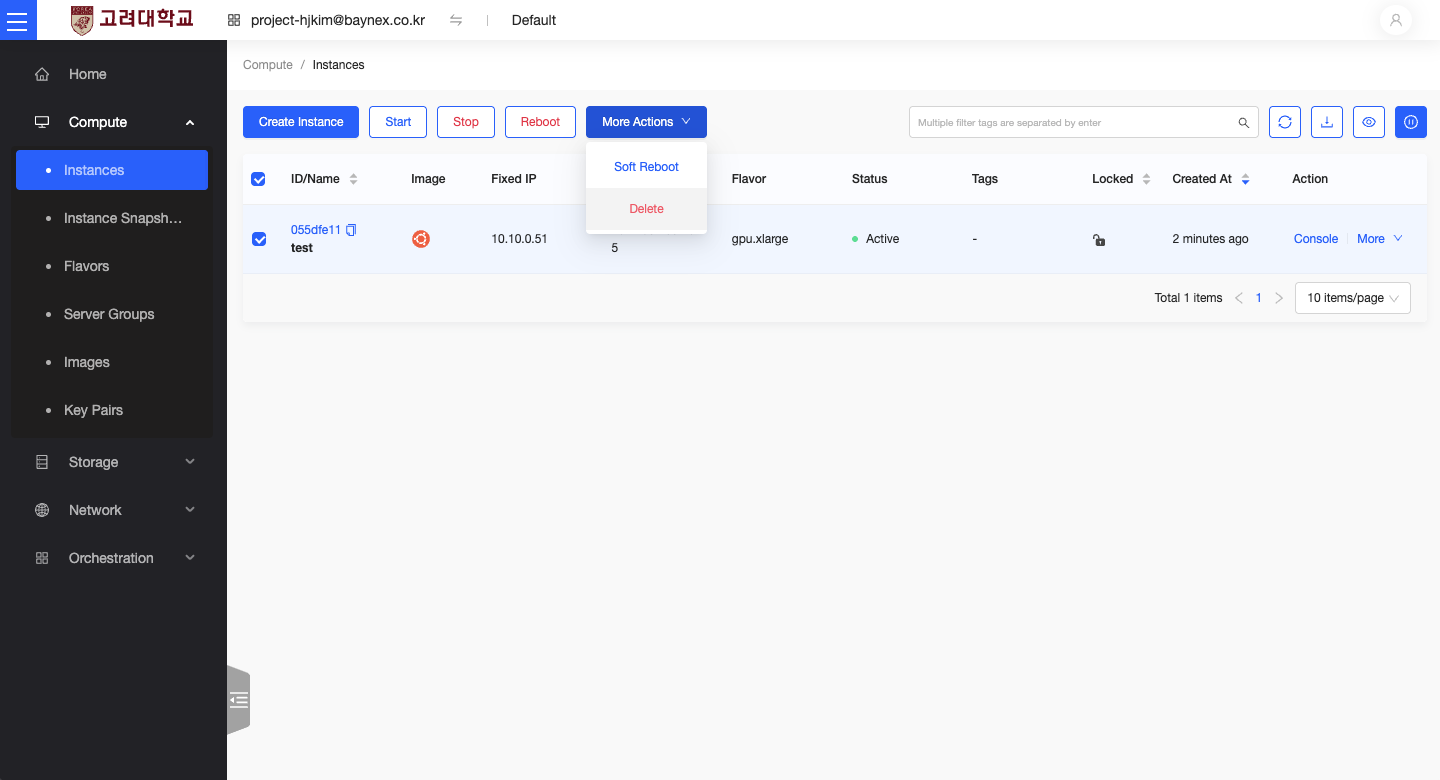
Select the Instance
- From the left-hand menu, go to Compute -> Instances
- In the instance list, select the instance you wish to delete.
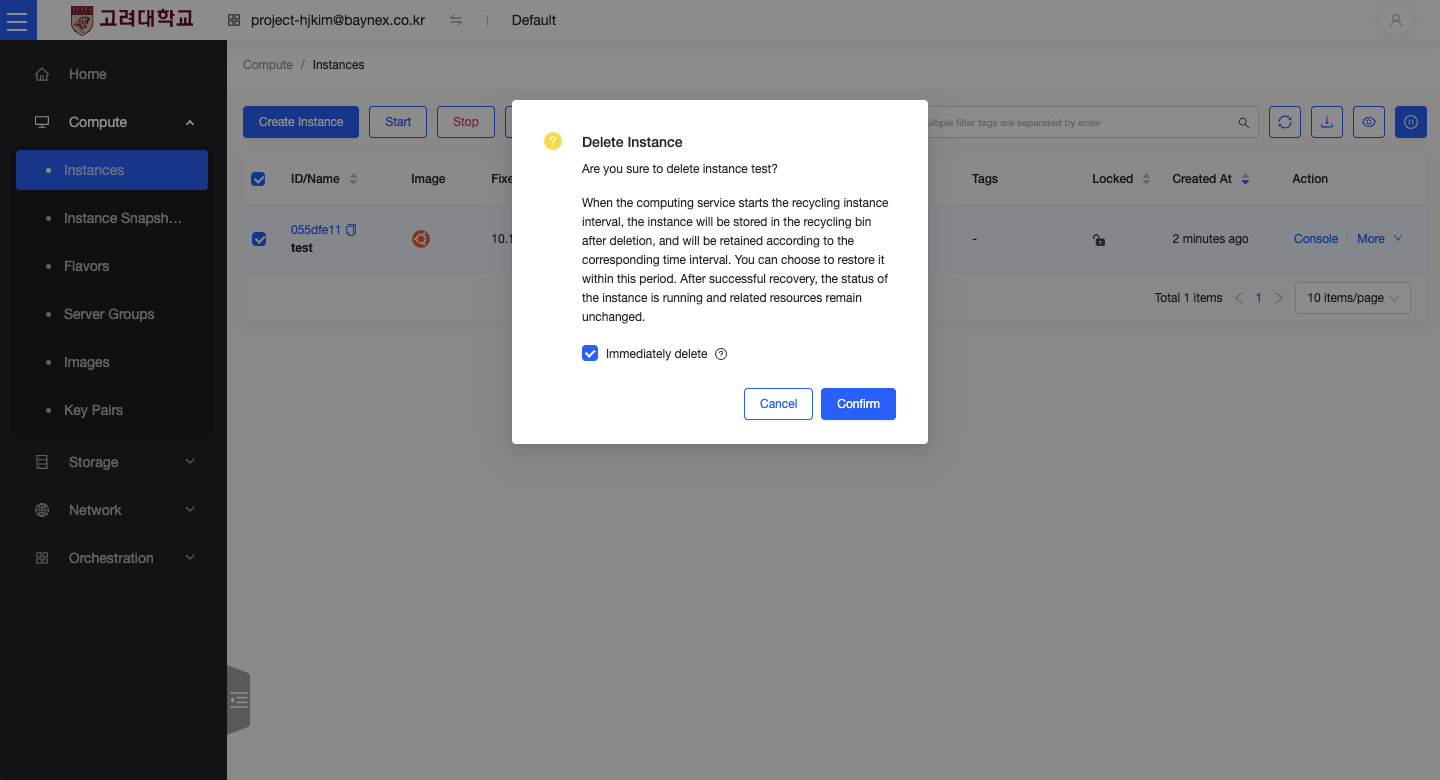
Execute Deletion
- Click
More Actionsnext to the selected instance and chooseDelete Instance. - A confirmation dialog will appear. Read the message carefully and click
Confirmto proceed.
Important Notes
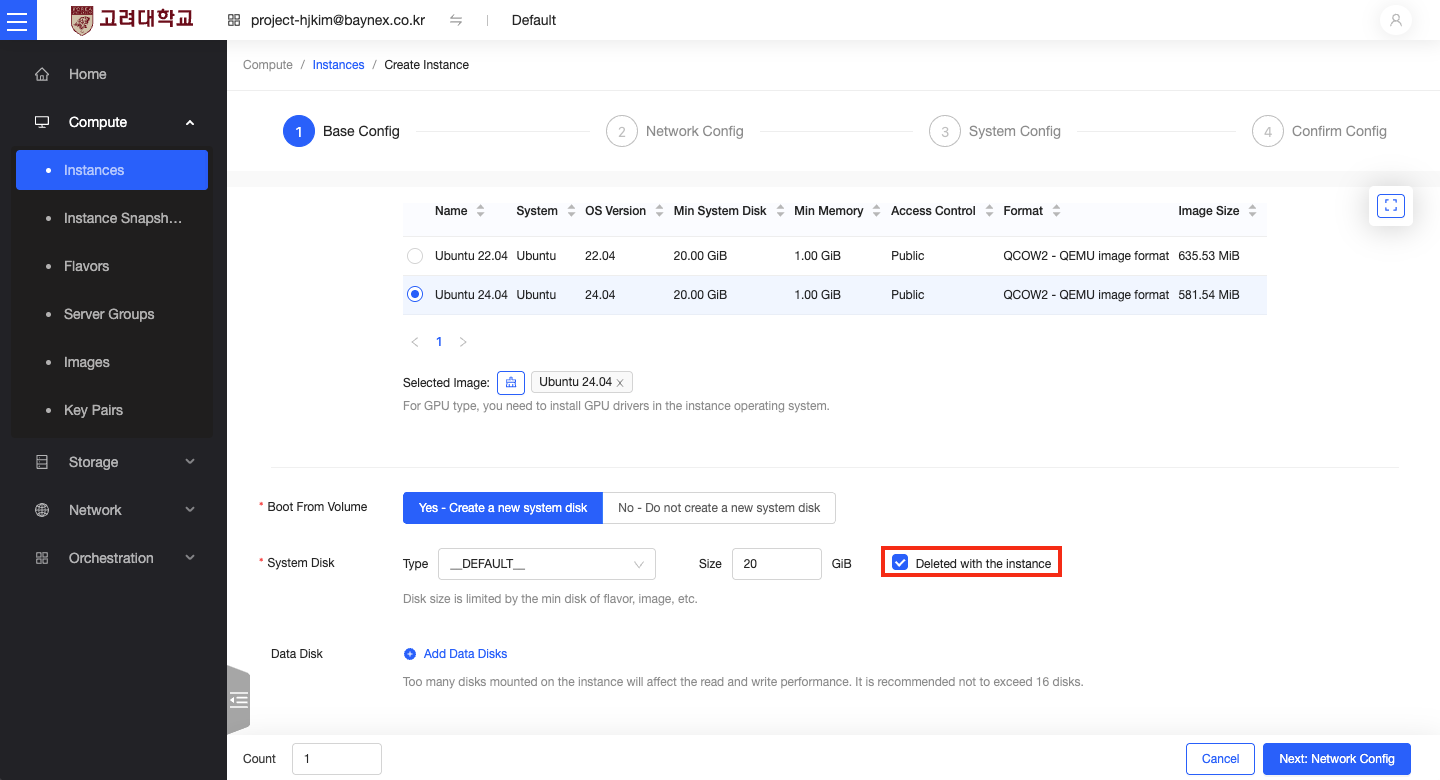
System Disk Deletion
- If the system disk was created together with the instance and set to "Delete with instance," it will be automatically removed when the instance is deleted.
- Therefore, please back up any important data in advance.
Checklist Before Deletion
- Make sure all important data stored on the instance has been backed up.
- Deleted instances and system disks cannot be recovered. Please verify carefully before proceeding with deletion.